There might be some operations that that you do not want logged because they fill your audit log with unnecessary information.
To configure what is logged:
Set a logging level
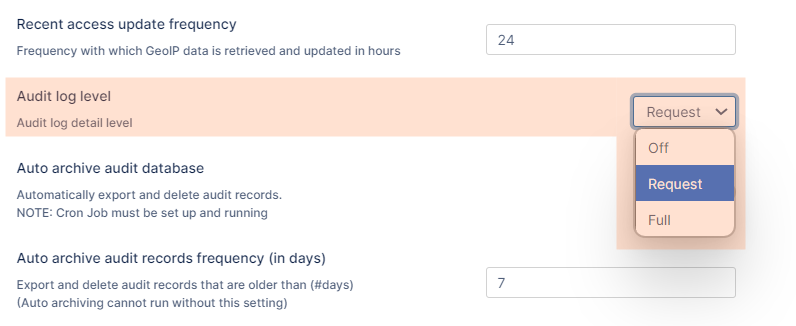
You can choose to set logging to one of the following levels:
Off - Records nothing in the audit log files
Request - Limits the logging to requests from agents or clients and the results of a request. Does not record the full response to the agent or client.
Full - Records entries for all requests from agents or clients, the full response, and the and the results of the request.
To set a log level:
In the FileCloud admin portal's left navigation bar, scroll down and clickSettings.Then, on theSettingsnavigation page, clickAdmin. TheAdminsettings page opens.
Scroll down and locate Audit log level. Set it to Off, Request, or Full.
Click Save.
Remember that the information in audit logs can be extremely important for troubleshooting. Be careful not to exclude too much information from your log files.
JavaScript errors detected
Please note, these errors can depend on your browser setup.
If this problem persists, please contact our support.


 Remember that the information in audit logs can be extremely important for troubleshooting. Be careful not to exclude too much information from your log files.