
Search for a File or Folder in File Browser
You can search in a folder that appears on the left or right side in File Browser
To search in File Browser:
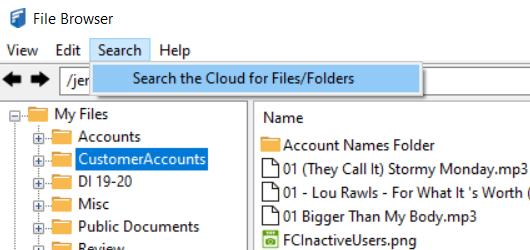
- Select a folder in the left panel, and click Search in the menu bar. Then choose Search the Cloud for Files/Folders;
OR
Right-click a folder in the right panel, and choose Search;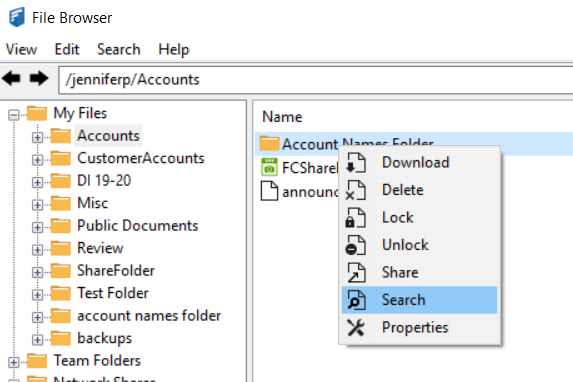
OR
Right-click the system tray icon and choose Search the Cloud.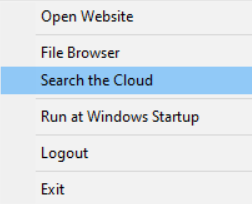
A FileCloud search dialog box opens. It shows the folder path you selected. - Enter a search term.
Your search results are returned. 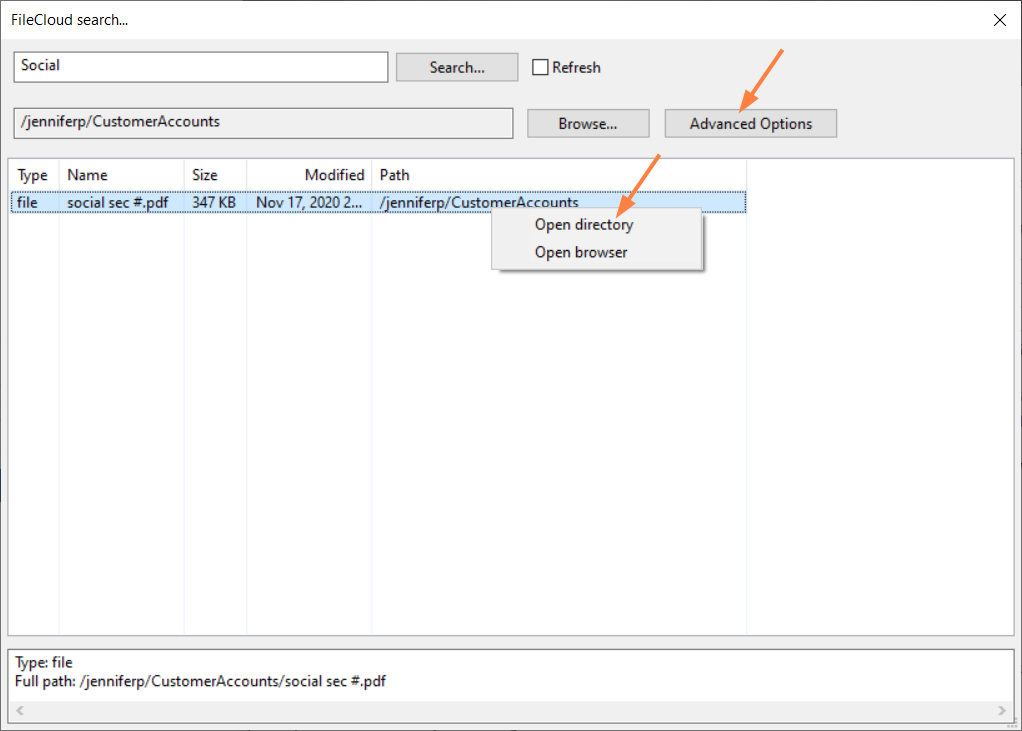
- Right-click a result, and choose Open directory to open the directory in File Browser if it is not already open.
Right-click a result, and choose Open browser to open it in the FileCloud user portal.
Click Advanced Options to open advanced search options. For help using these options, see Search.