Instead of just communicating the most secure sharing procedure to your users, administrators can configure special settings to ensure a more secure environment when users are sharing files.
To password protect shares, prevent share name changes, or hide the option for sending share links by email:
Open the Share settings page.
To open the Share settings page:
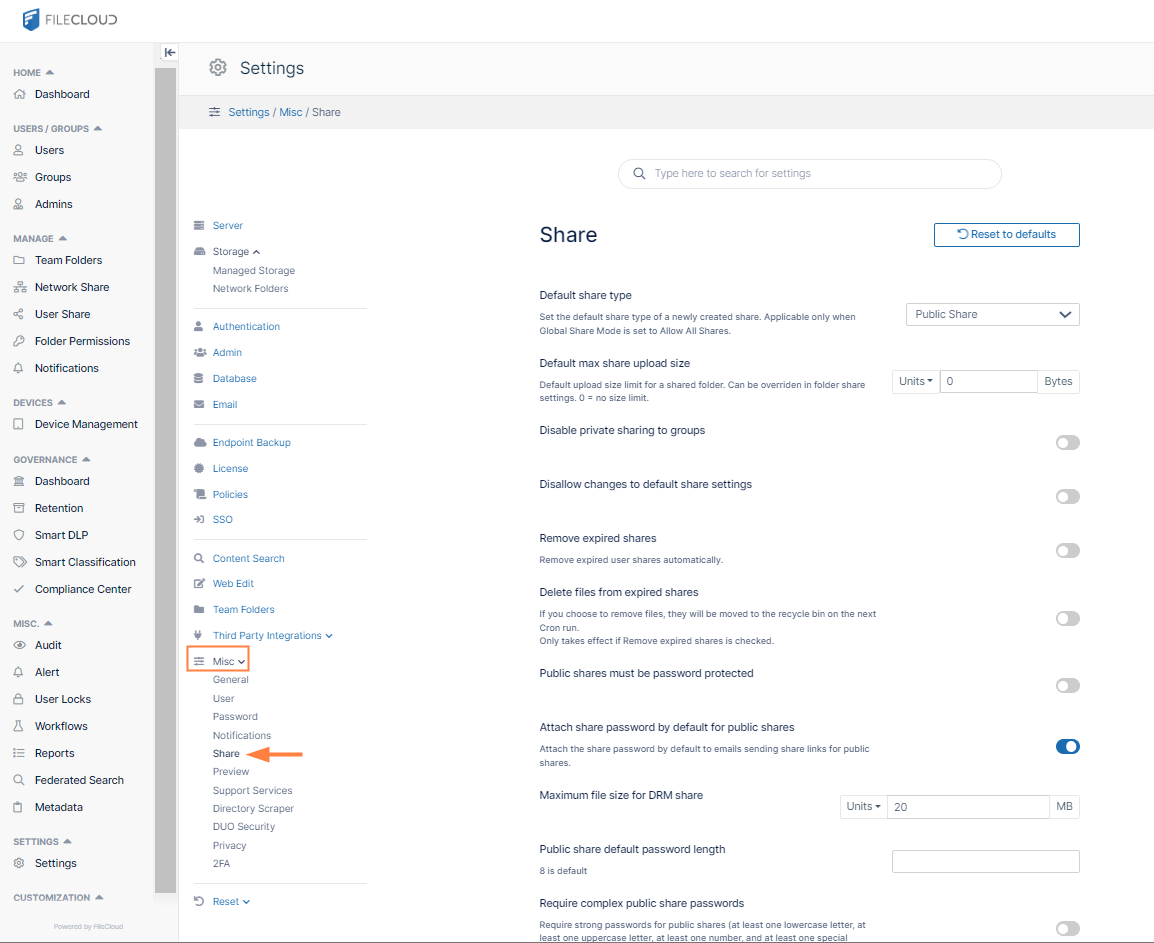
In the FileCloud admin portal's left navigation bar, scroll down and click Settings. Then, on the Settings navigation page, click Misc .
In the inner navigation bar on the left of the Settings page, expand the Misc menu, and click Share, as shown below.
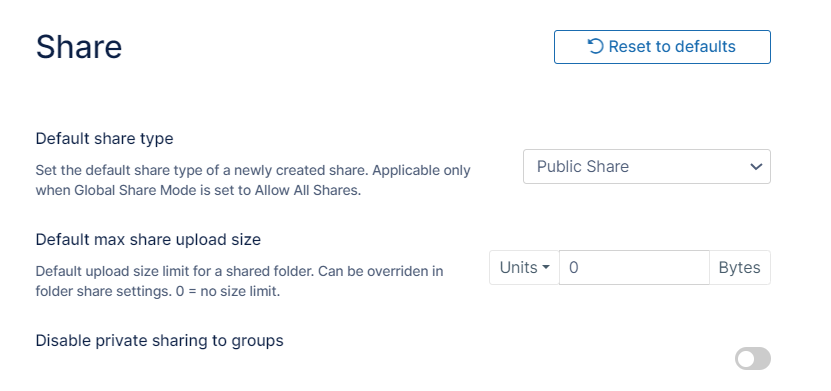
The Share settings page opens.
Configure any of the following secure share settings:
Password Protect Shares and Require Complex Passwords
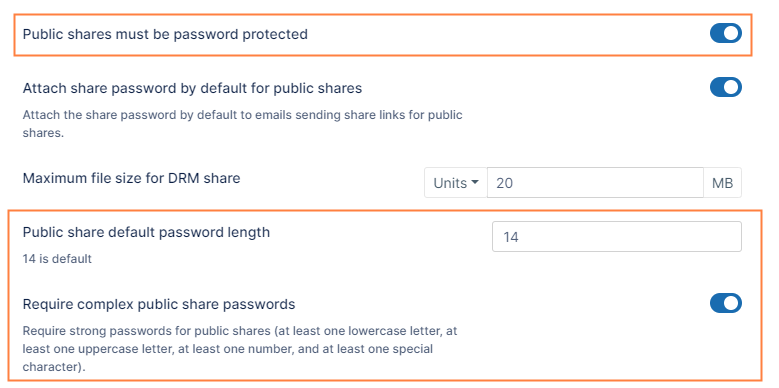
Administrators can require users to create all public shares with a password for an extra layer of security. Users cannot disable the use of passwords when this is set. By default, FileCloud requires public share passwords of 14 characters in length that include at least one uppercase letter, at least one lowercase letter, at least one number, and at least one special character. Administrators may change these settings.
To require strong password protection:
In the Share settings page, scroll down to the password settings.
Enable Public shares must be password protected.
Leave Public share default password length at 14, or change it to another number.
Leave Require complex public share passwords enabled.
Disallow Share Name Change
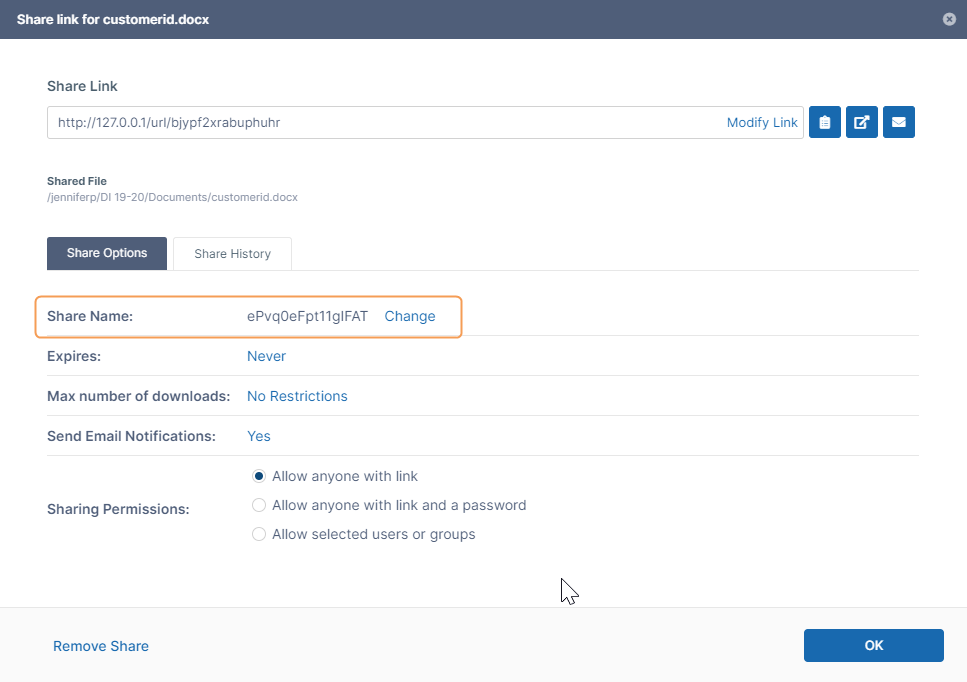
For security reasons, shares have a randomly generated name that is created by default.
Randomly generated names are more difficult for attackers to guess.
Randomly generated names do not expose user names or a description of the data.
This is how the randomly generated name looks in the user portal when creating a share:
By default, users may change randomly generated share names to custom names. However, you may prevent users from changing share names.
To prevent users from changing randomly generated share names:
In the Share settings page, scroll down to the setting Disallow share name change, and enable it.
Click Save.
Hide Send Share Link Via Email
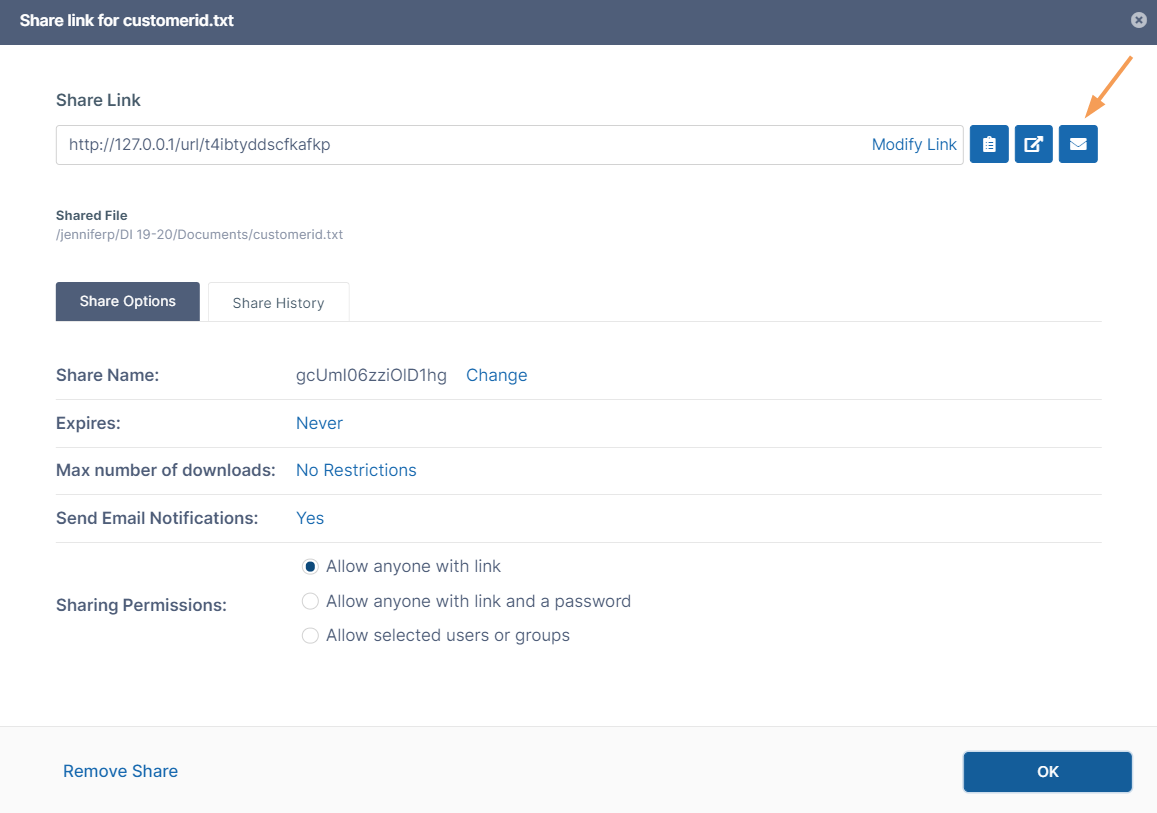
Users can send a share link by email by clicking the mail icon shown in the following image. To secure share links, you can hide the mail icon to make it unavailable to users.
To hide the option for sending a link to the share in email:
In the Share settings page, scroll down to the setting Hide option to send share link by email, and enable it.
Click Save.
To limit user account searches:
Limit User Account Searches
You can limit how users search for other user accounts.
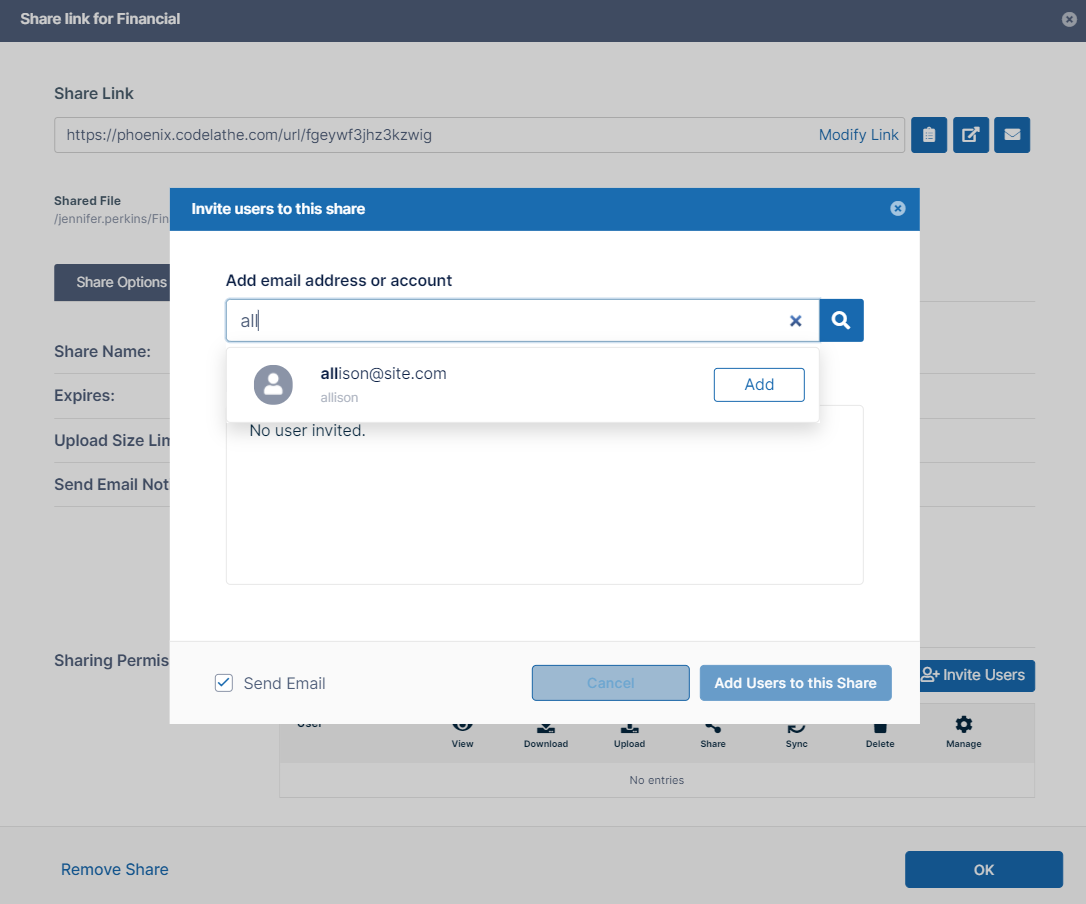
By default, when user1 shares a file or folder with user2, user1 can search for user2's account by the user name or email id. The search results list both exact and partial matches.
However, this is not desirable in certain cases and organizations, as the search results reveal user accounts that exist in the FileCloud system.
Therefore, FileCloud allows you to restrict user searches using two search modes:
NOTE: You can use these search limitations together.
For example, you can set the User Account Search Mode to Partial Name/Email Search, and then use the User Account Type search mode to limit the results to only accounts with FULL access.
Note
Using a search mode limits account searches for all the users in the FileCloud system.
These settings affect searches in shares for share recipients.
To make it clearer which user has shared a file:
Use Display Name as well as User Account Name
To make it clearer which user has shared a file, you can change how a user name is displayed in sharing details.
How user names are defined in FileCloud
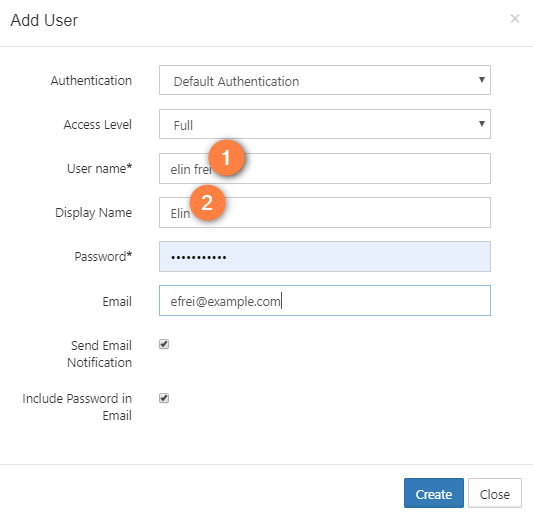
In the admin portal, when you create a user, you set 2 different names.
1. User name
In the user portal, by default, FileCloud displays the User name.
It may not be clear to users who is sharing the file with them, especially if User name includes only abbreviations and numbers.
The User name cannot be changed after the user has been created.
2. Display name
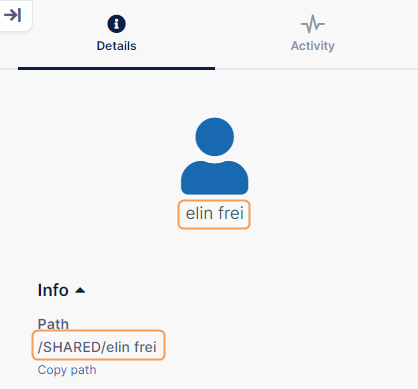
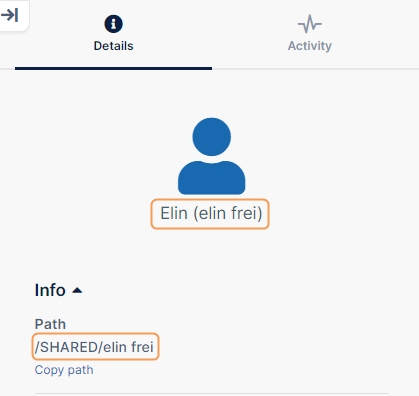
You can have FileCloud use the Display name as well as the User name on the Details tab when showing the share information.
Using the Display name makes it clearer to users who is sharing the file with them.
The Display name can be changed after the user has been created.
Where Your Changes Appear
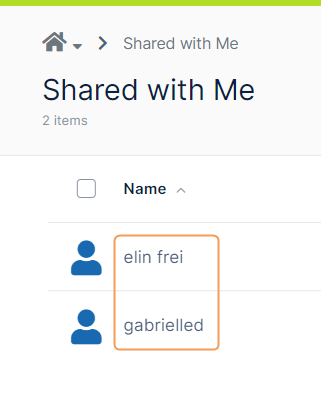
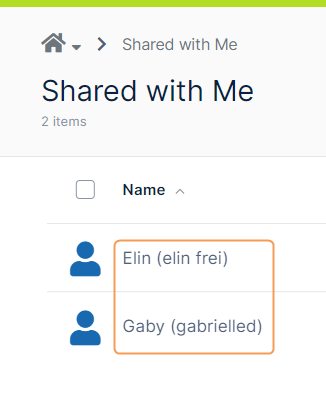
In the user portal, the user's name is displayed differently after you change the default display to include the Display name.
BEFORE (User Name)
AFTER (Display Name and User Name)
Details Pane
Shared With Me list
JavaScript errors detected
Please note, these errors can depend on your browser setup.
If this problem persists, please contact our support.