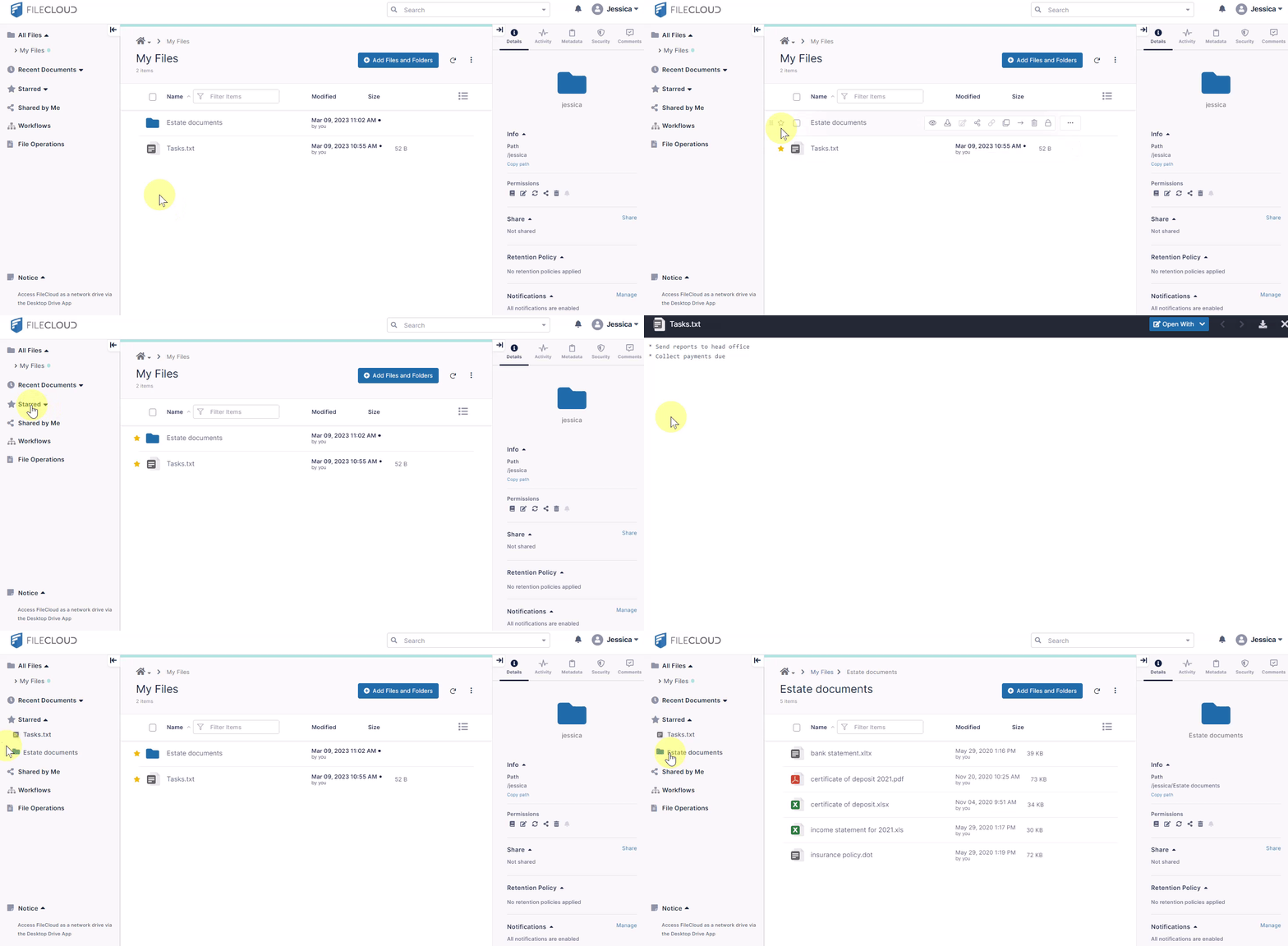
Add to Starred
Your starred items are favorite or frequently visited files and folders that you can access quickly by clicking the Starred link in the navigation panel.
To add a file or folder to the Starred list, click the star next to it in the main section of the screen. It now appears under Starred when you expand it in the navigation panel. Click on a file under Starred to preview it. Click on a folder under Starred to view its contents in the main section of the screen.