
Azure Blob Storage Based Network Folders
Administrators can integrate Azure's Blob Storage container with FileCloud Server to allow users access to this data inside FileCloud Server portals and clients.
 There are few limitations you should know about using Azure Blob Storage network folders
- No versioning support (Version key will be ignored and file will be overwritten)
- No real time network sync or indexed search is allowed (Regular file search will work)

For preview and edit to work correctly when you use Azure Blob Storage for Network Folders, in the Azure CORS settings, for the value of Allowed origins, enter the exact URLs that will be accessing the objects. (Do not enter *.)
For example: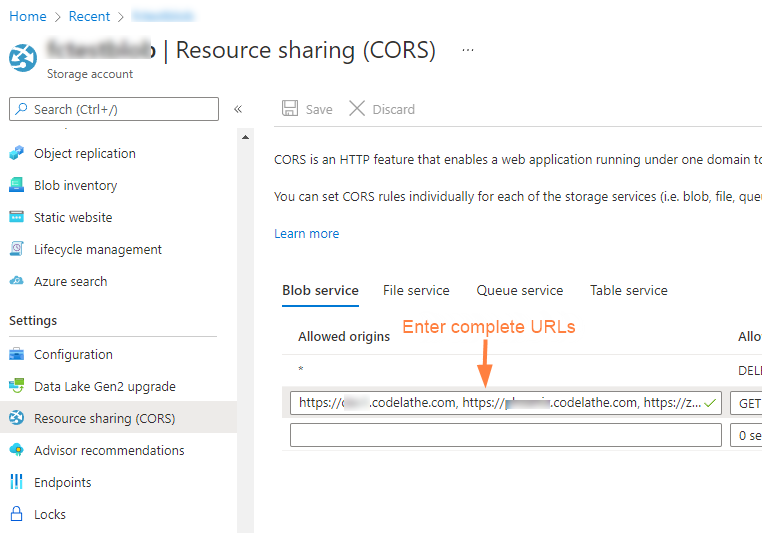
What do you want to do?
Attach Azure Blob Storage container to a Network Folder | |
Configure the container-based Network Folder |
