Backup Server - Download
Introduction
FileCloud backup server also supports downloading of files/folders from the backups directly from the web UI. When a folder is selected for download, it will be downloaded as a zip.

Note
- Download of only one file or folder is supported at this time.
Downloading File/Folder
User file/folders can be downloaded using the following steps:
- Select the backup from which the file/folder has to be restored.
- Select the target from the drop-down and click on the 'Files' button for the backup that needs to be restored.

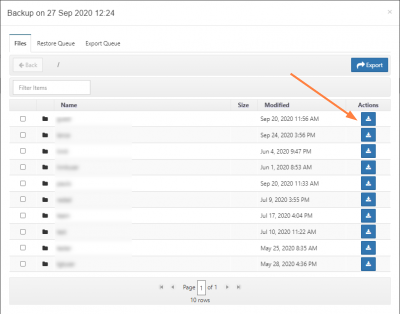
- In the files dialog, navigate to the path containing the file/folder to be downloaded.
- Select the download button for the file or folder to start the download.