
Basic Checks
Clicking on the Basic Checks tab displays:
- The name of the item that was checked.
- The result of the check. A blue checkmark


- Additional information for installing, troubleshooting, or correcting an issue for this item.
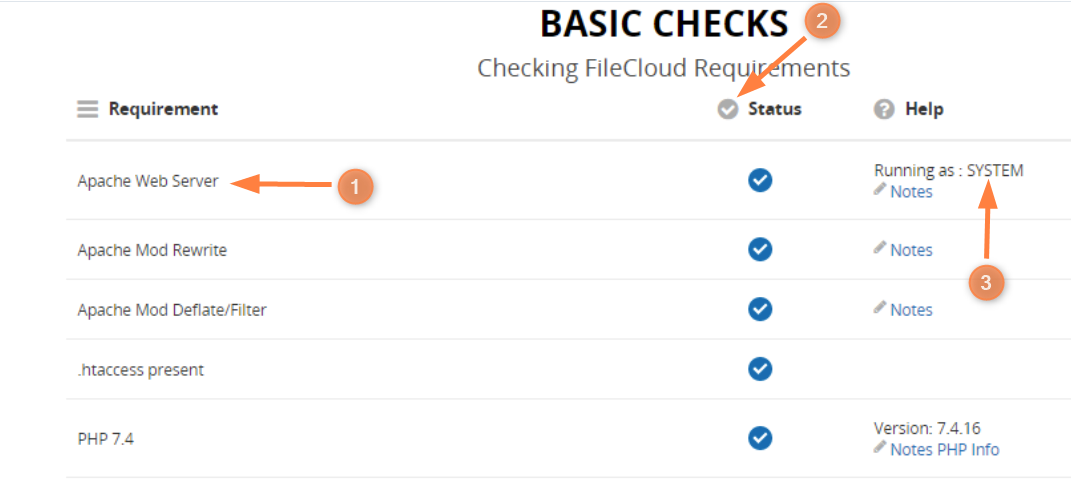
You should review each item in the list to understand how your system is configured and functioning.
To review Basic Checks:
How to review basic checks
The following table explains how to use the Basic Checks information:
| What You See | What It Means | ||
|---|---|---|---|
.htaccess present |
| For a blank entry with a blue checkmark, the item has passed the verification test and there is nothing further for you to do. | |
Apache Mod Rewrite |
|
| For a notes entry with a blue checkmark, the item has passed the verification test. Optional: To read more about the item, click on |
PHP Memcache Extension |
| Version 4.0.52
| For a version entry with a blue checkmark, the item has passed the verification test using the specific version. Optional: To read more about the item, click on |
PHP LDAP Library (optional, for AD/LDAP support) |
| Ignore failure if AD/LDAP is not needed
| For an Ignore - IF entry with a blue checkmark, the item has passed the verification test conditionally.
Optional: To read more about the item, click on |
|
| Version:
| For any entry with a red X, you must correct the issue. For help resolving an issue, use the following resources:
|

The Help column provides information and resources for understanding how your system is working.
In the Help column, if you click on 
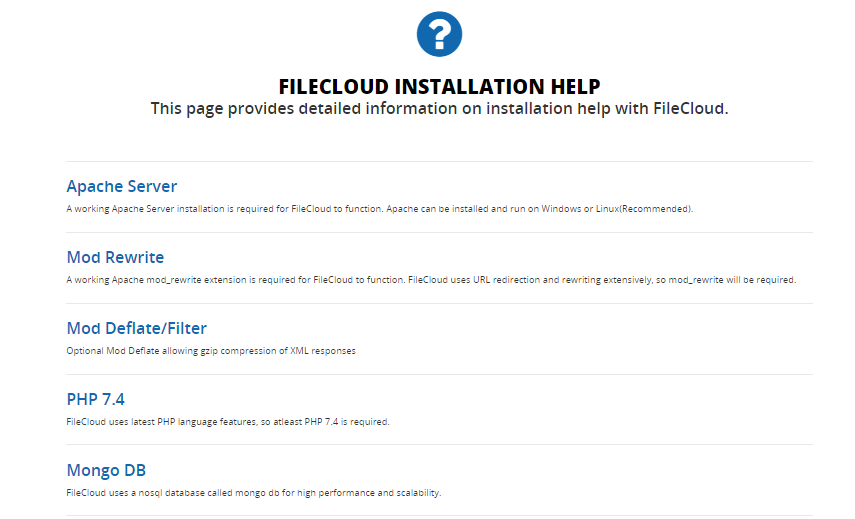
Resolve Failed Checks
To resolve an issue:
- Return to the FileCloud control panel and install any missing required components or start any required services.
- For help resolving an issue, use the following resources:
- Read more about the item in
- Review the Requirements page.
- Review the installation procedures.
- Review the Installation Troubleshooting page.
Here are details about some of the important extended checks performed.
This is the set of basic checks performed on your FileCloud installation environment.
Check | Details |
|---|---|
Apache Web Server | Checks if your environment has a working Apache server installation. |
Apache Mod Rewrite | Checks if mod rewrite module is enabled and activated. |
Apache Mod Deflate/Filter (optional) | Checks if the Apache mod_deflate module is present. This is optional. |
.htaccess Present | Checks if the .htaccess is present in the root WWWROOT folder |
PHP 8.2 or higher | Checks if the environment has PHP v8.2 or higher. |
PHP MongoDB (mongodb ext) driver 1.15.0 or higher | Checks if PHP Mongo DB drivers are installed properly and are version 1.15.0 or higher. |
PHP GD Library | Checks if GD library is installed properly. |
PHP Zip library | Checks if Zip library is installed properly |
PHP Curl Library | Checks if PHP Curl library is installed, this is required if you are using open stack, Amazon S3 or NTFS permissions or Multi-tenancy. |
PHP OpenSSL library | Checks if OpenSSL library is installed properly. |
PHP SourceGuardian extension 14.0.0 or higher | Checks if SourceGuardian, which protects FileCloud PHP files, is installed. |
PHP bcmath extension | Checks if PHP bcmath extension is installed. |
PHP SimpleXML extension | Checks if PHP SimpleXML extension is installed. |
PHP mbstring extension | Checks if PHP mbstring extension is installed. |
PHP LDAP library (optional) | Checks if PHP LDAP extension is installed. This is optional and only required if your environment will be using LDAP or Active Directory authentication. |
PHP Memcache Extension (optional) | Checks if PHP Memcache extension is installed. This is optional and only required if you will be using encryption for Local Storage (Managed Storage) |
Install in Server WWW root folder | Checks if FileCloud installation is in the main server root and not in the subfolder (http://mydomain.com and |
CloudConfig.php Readable | Checks if cloudconfig.php exists and readable. cloudconfig.php file is present in WWWRoot/config folder |