Is recorded in the Audit log as: "Action performed by ADMIN"
Cannot be undone
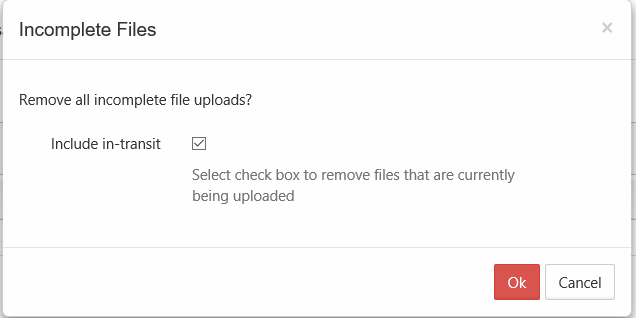
As an administrator, when a user is uploading a file and you want to cancel the upload, if it is only partially completed, you can cancel it using the Remove All Incomplete Uploads button using the Include in-transit option.
This is useful if you discover the file is infected and want to stop the upload
If the file is too large or contains inappropriate content, you can cancel the upload before it completes
To stop all partial user uploads from completing:
Open a browser and log on to the Admin Portal.
From the left navigation menu, select Users.
On the Manage Users page, select a user, and then click the Edit icon .
On the User Detail dialog box, click Manage Files. The Manage Files for <User> window opens.
Click the Remove all incomplete uploads icon .
On the Incomplete Files dialog box, select the Include in-transit checkbox.
Click OK.
JavaScript errors detected
Please note, these errors can depend on your browser setup.
If this problem persists, please contact our support.