
Creating a Pattern Group
Pattern groups allow administrators and users to save information identification patterns in order to streamline the classification process.
Creating and Modifying a Pattern Group
1. Click on 'Manage Pattern Group'
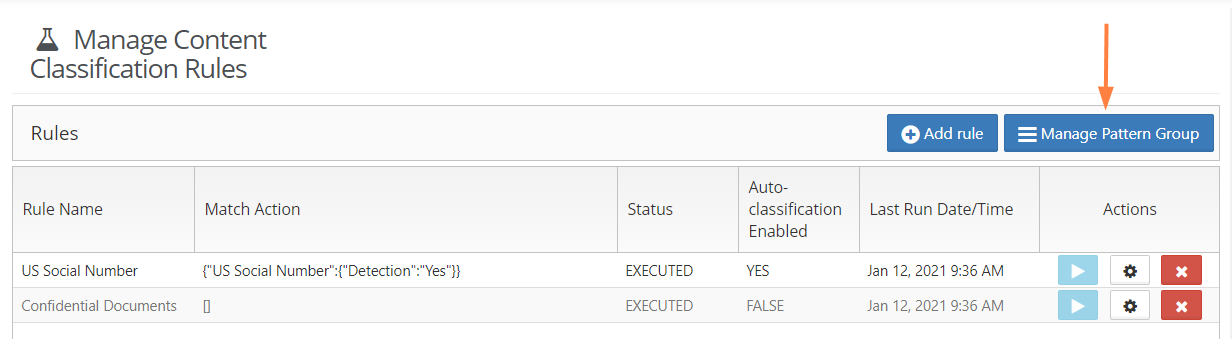
2. To add or create a new rule Pattern Group, click on New Pattern Group.
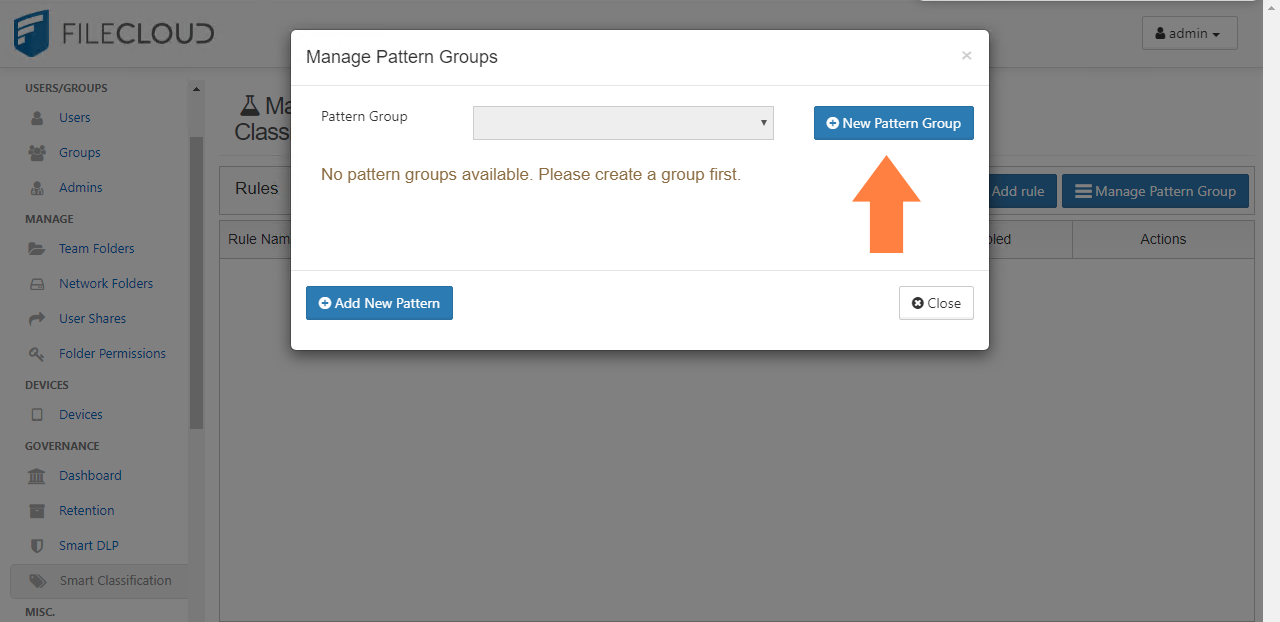
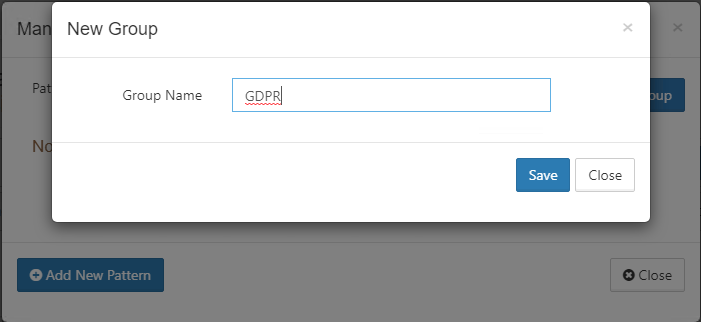
3. Click on New Pattern Group, enter a Group Name and click Save.
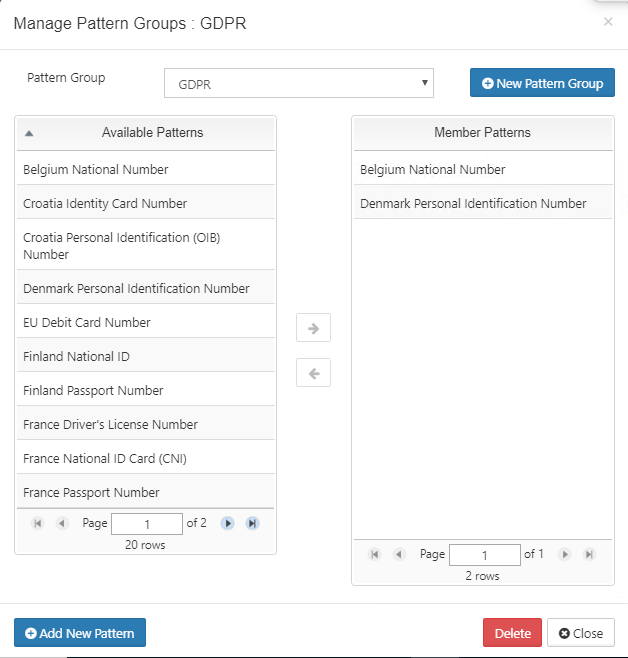
4. Once you have created your group, you can add Available Patterns by selecting them from the left-side panel and moving them with the middle arrows to the Members Patters on the right. Once completed, click Close.
In the below example, we have created the Pattern Group GDPR that includes patterns such as Belgian National Numbers and Denmark Personal Identification Numbers.
Step 5. Once saved, you can add your new group to a Content Classification Rule.