
Delete Files and Folders in Sync
When you are in your Sync folders in your file explorer, you can delete a file or folder from FileCloud by moving it from a Sync folder to a folder outside of your Sync folders. When the action is synced to FileCloud, it is recorded as a deletion.
In the example below, the file Agreement to Receive Electronic Communication is moved from a sub-folder in the Sync My Files folder to the external folder Requisition.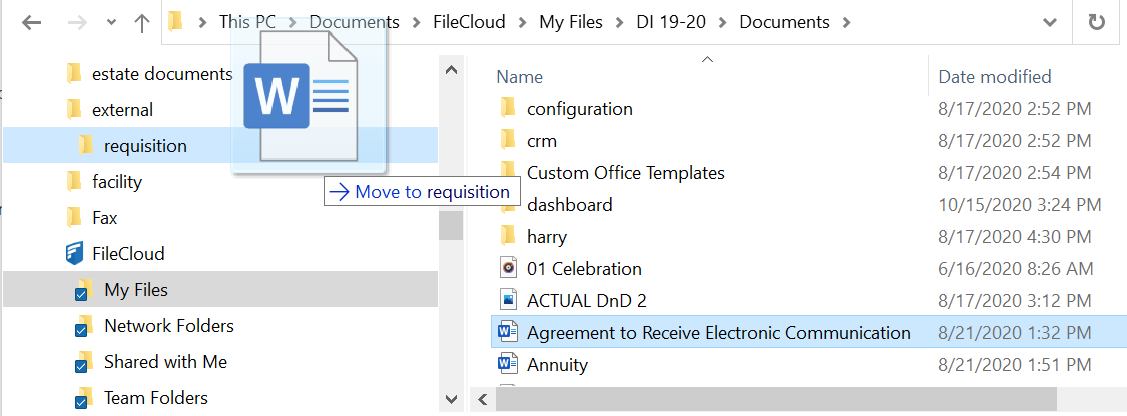
When syncing occurs, the Agreement to Receive Electronic Communication file is logged as a deletion: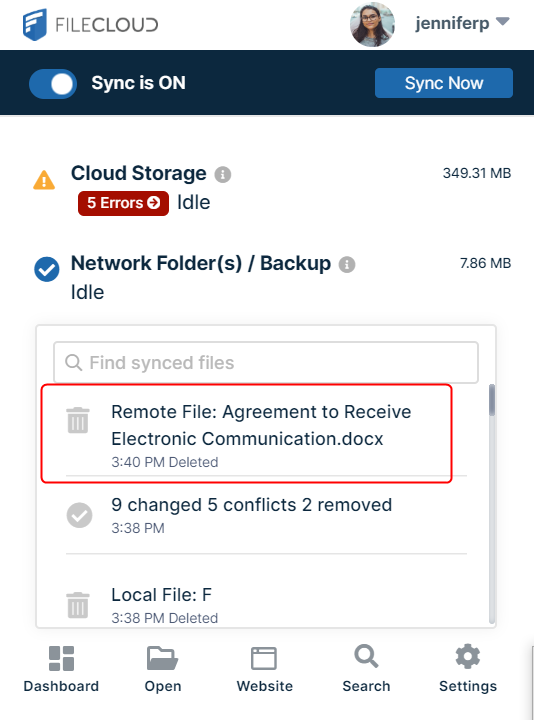
You can also delete the file through the normal process of right-clicking on the file or folder within the Sync folders and choosing Delete.