
How to uninstall FileCloud Drive for Mac
To uninstall FileCloud Drive for Mac, first you have to quit the Drive app.
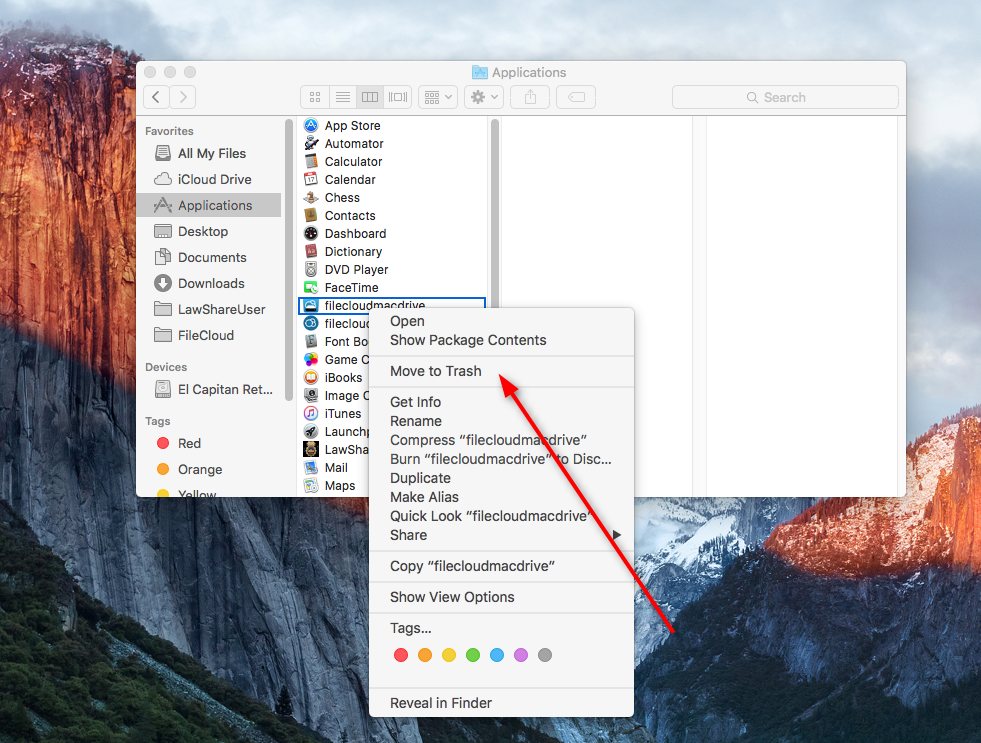
Then navigate to Applications, select Filecloud Drive for Mac and click Move to Trash.
To clear the data of FileCloud Drive for Mac, open terminal and navigate to "~/Library/Application Support/FileCloud/Mac Drive" and delete 'Mac Drive' Folder

rm - rf Mac Drive

To Uninstall FileCloud Drive silently from Windows Machines you can run below command from the installation folder, generally C:\Program Files\FileCloudDrive
unins000.exe /VERYSILENT /NORESTART