As an administrator, you can use built-in tools to check the status of the service and you can also increase the expiry time of the cached results so that existing results can be returned faster.
To check the status of Helper Service:
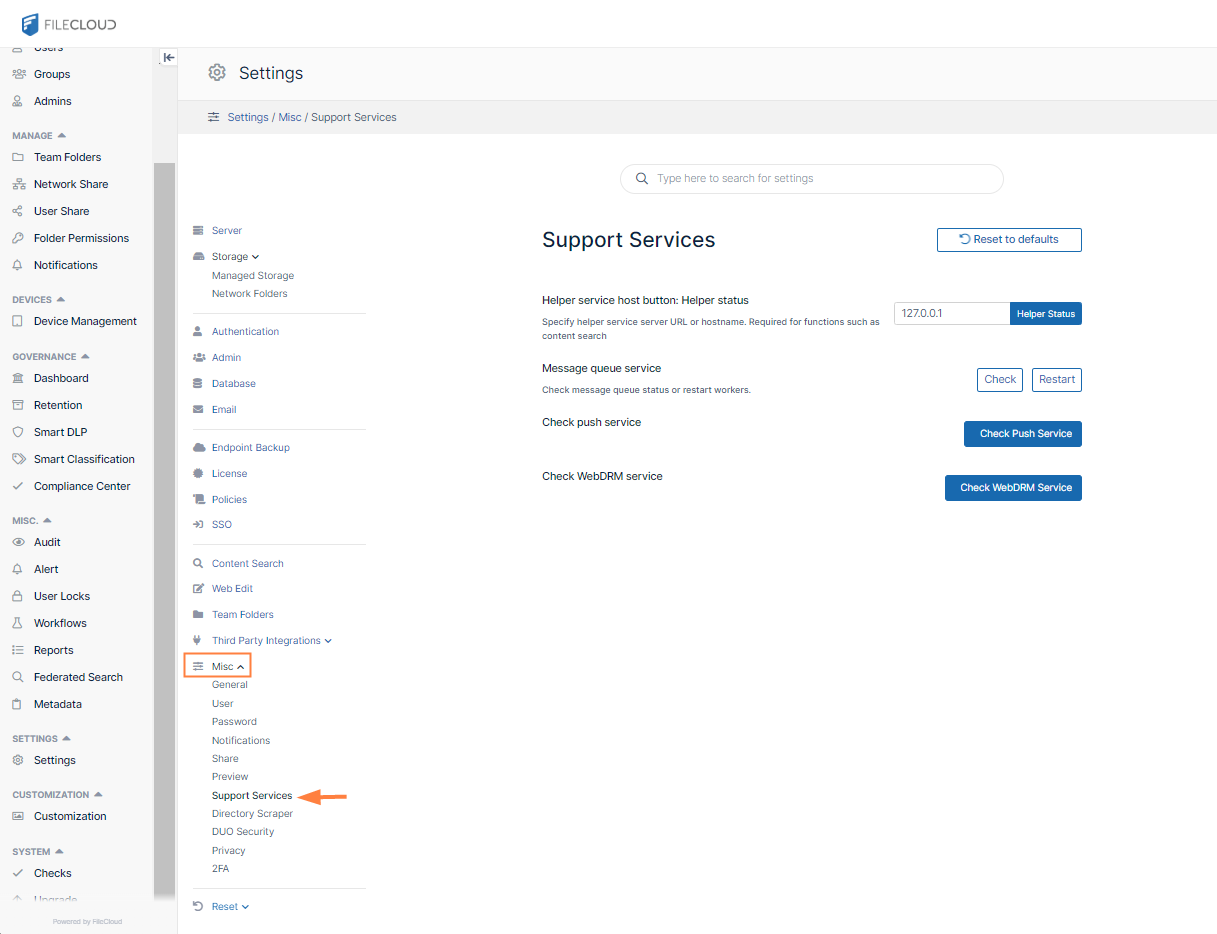
Open the Support Services settings page.
To open the Support Services settings page
In the FileCloud admin portal's left navigation bar, scroll down and clickSettings.Then, on theSettingsnavigation page, clickMisc.
In the inner navigation bar on the left of theSettings page, expand the Miscmenu, and click Support Services, as shown below.
The Support Services settings page opens.
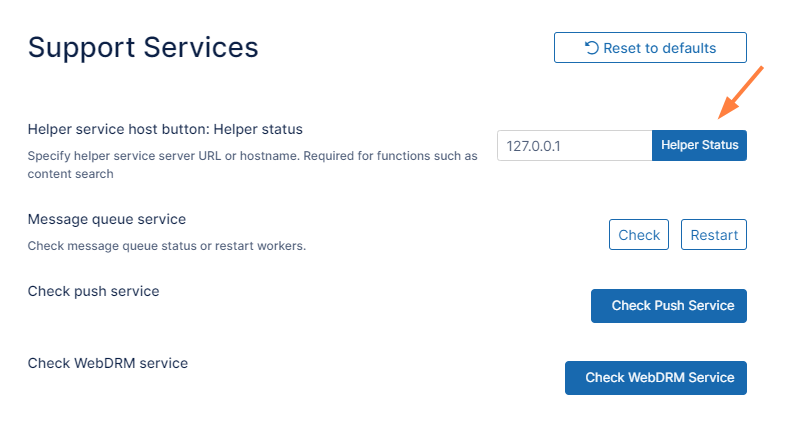
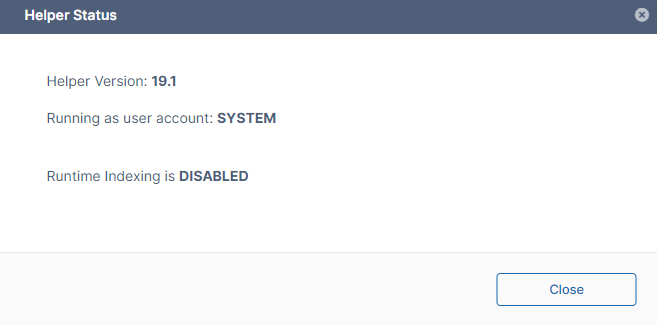
Click Helper Status. A notification gives you your Helper status:
Return Permission Results Faster
By default, Permissions check results are cached for 30 seconds.
For systems where the permissions are not changing dynamically, you can increase the expiry time of the cached results.
Expiring cached results quicker allows existing results to be returned faster.
To modify the cache expiry settings:
Open the following file for editing.
CODE
config.ini
Find the following code
TEXT
; Settings for FileCloud NTFS Helper
[settings]
address=0.0.0.0
cacheexpiry=30000
Set cacheexpiry to a value that is less than you are using now. Use Table 1 options to understand how to set this value.
Table 1. Settings for FileCloud NTFS Helper
Parameter
Notes
Default Value
cacheexpiry
specifies how long cached results are stored in memory for faster performance. Specified in microseconds
30000 us (30 secs)
threadpoolsize
specifies the number of threads pre-created in the threadpool for fast spin up
40
threadmaxqueued
sets the maximum number of queued connections If there are already more than the maximum number of connections new connections are discarded.
64
threadmaxthreads
sets the maximum number of simultaneous threads
30
threadidletime
sets the maximum idle time for a thread before it is terminated, specified in seconds
600 (10 mins)
JavaScript errors detected
Please note, these errors can depend on your browser setup.
If this problem persists, please contact our support.