
Install Web Server as a Service on Windows
By default, the web server that is shipped as part of the FileCloud installation runs as a normal process. If the user running the application logs out the application will exit. To prevent this, you can run the FileCloud web server as a service.
Install as a Service
Click the Make Service link in the Control Panel to install the web server as a service. Then click Start to start the service.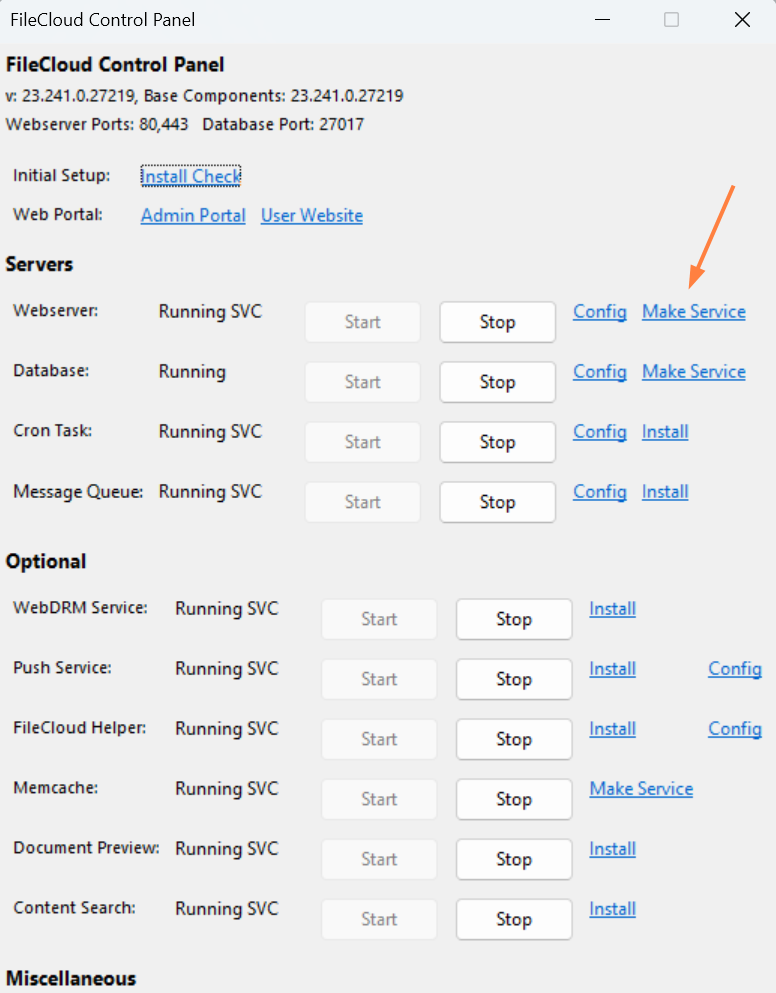

If you are making existing network shares accessible to FileCloud, we suggest you modify the service log-on permissions to run as a user account with full privileges to network shares (see screenshot below).
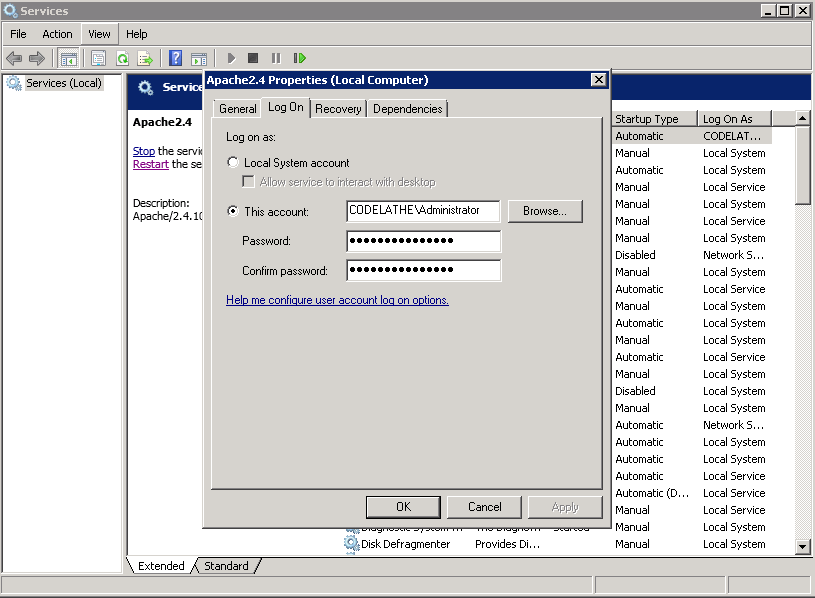
Alternatively, to install as a service, open an administrator command prompt and enter:
CODE
cd c:\xampp\apache\bin
httpd.exe -k install
Remove Apache Service
CODE
cd c:\xampp\apache\bin
httpd.exe -k uninstall