FileCloud supports LibreOffice for document preview generation. Use the following instructions to enable file preview using LibreOffice.
Install FileCloud Document Converter FileCloud needs document converter to work with LibreOffice. Follow the instructions from this section to install and run FileCloud document converter.
Enable preview in FileCloud.
Multisite
If you are running a multi-site configuration, please follow these steps on the root site.
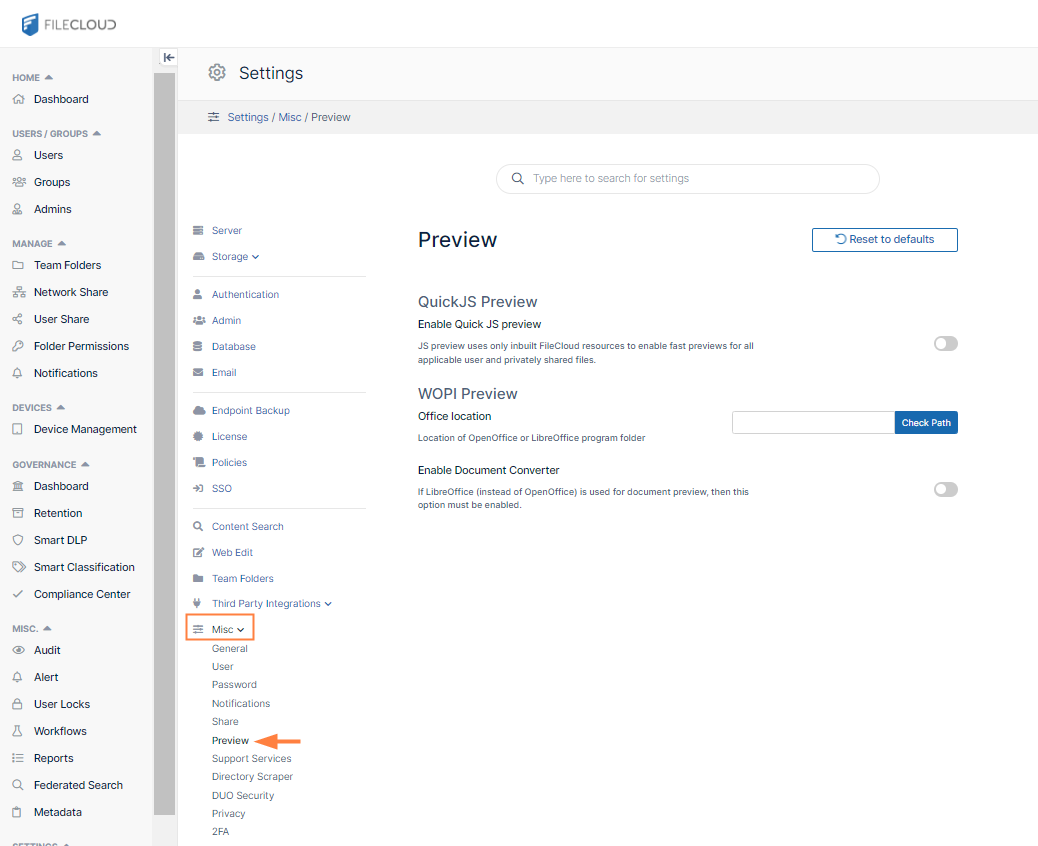
In the FileCloud admin portal's left navigation bar, scroll down and clickSettings.Then, on theSettingsnavigation page, clickMisc.
In the inner navigation bar on the left of theSettings page, expand the Misc menu, and click Preview, as shown below.
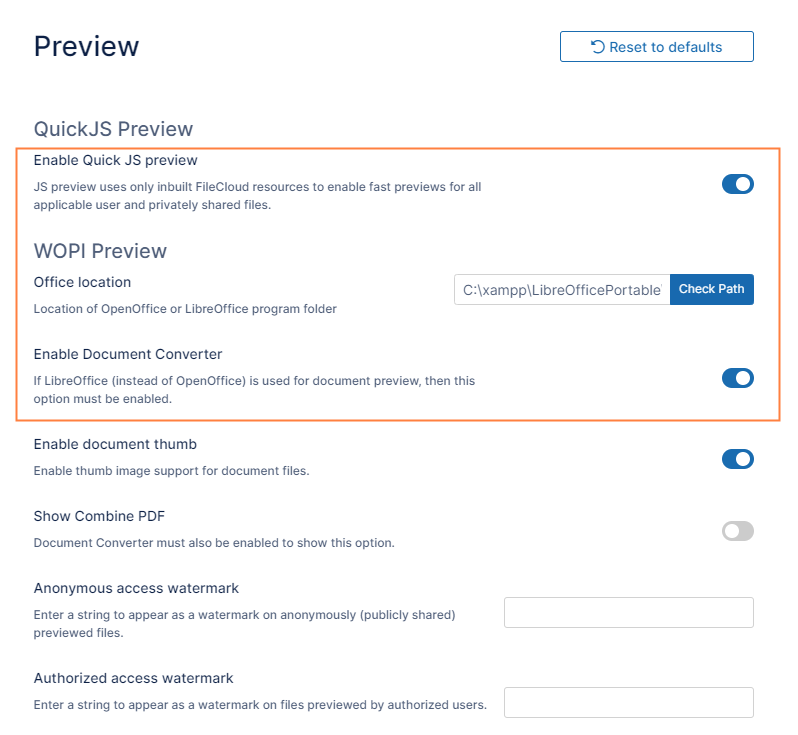
Enable Quick JS Preview if it is not already enabled.
In Office location, enter the correct path for LibreOffice (C:\xampp\LibreOfficePortable\App\LibreOffice64\program).
Enable the field Enable Document Converter. Note: Enabling this is allowed only when LibreOffice is used for document preview.
JavaScript errors detected
Please note, these errors can depend on your browser setup.
If this problem persists, please contact our support.