
Manage A User's Policies
Administrators can manage users easily using policies.
- Policies provide a framework for managing settings at the user or group level
- One policy record manages multiple policy values
- The policy record can be associated with a user

What do you want to do?
In the Manage Users page, in addition to viewing the details of the policy assigned to a user, you can edit the policy. However, if you edit the policy, the changes affect all users the policy is assigned to.
To edit a policy from a user account:
- In the admin portal navigation panel, click Users.
The Manage Users page opens. - Across from a user, click the Manage User Policy (gears) icon.

The Policy Settings dialog box opens. - Change the settings on any of the tabs.
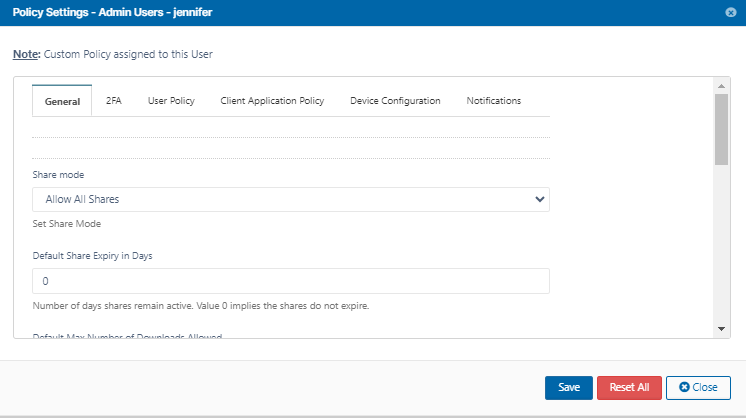
- Click Save.
A confirmation prompt warns you that this will change the policy for all users who are assigned to it.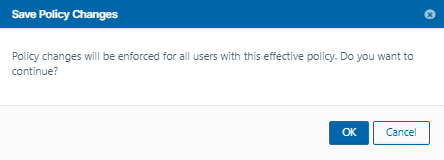
- Click OK.
The policy is changed.
An effective policy for a user is calculated on multiple factors.
This check is provided so you can see if group associations for this user changes how the policy you selected is enforced.
To calculate the effectiveness of a policy for a user:
- Open a browser and log on to the admin portal.
- From the navigation panel, click Users.
- In the Manage Users window, select a user, and then click the Edit icon.
- In the User Details window, click Manage Policy.
- Next to the Effective Policy box, click Calculate.
- The most effective policy for this user is shown in the box next to the Calculate button.
- To see the details of a policy, click Open.