
Rename Item
To rename a file or folder, hover over its row and click the More button, and select Rename. Enter the new name and click Enter.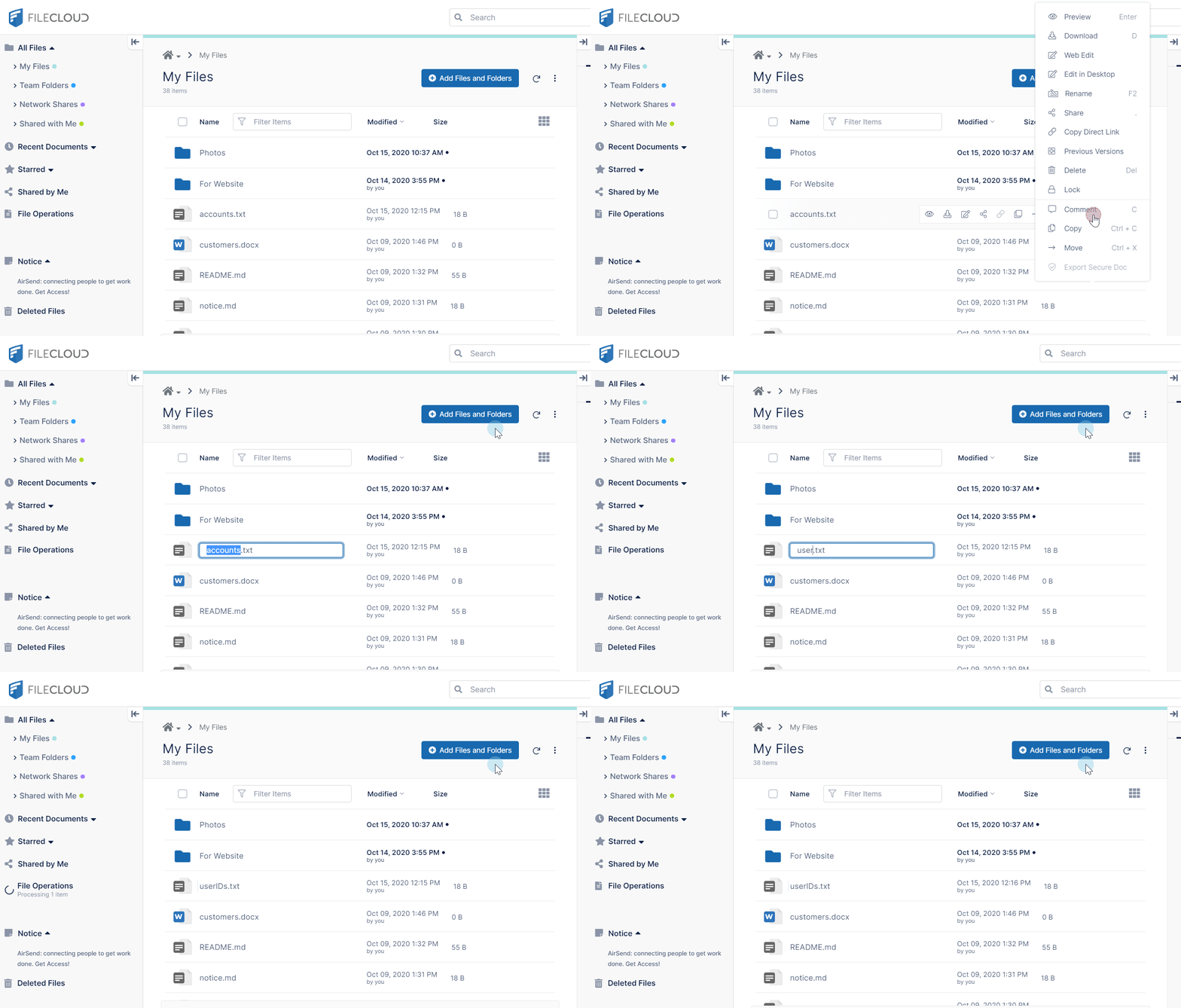
Renaming a shared folder
If you rename a shared folder, the share name still refers to the original folder name, which may be confusing to users. For this reason, when you rename a shared folder, the following message appears: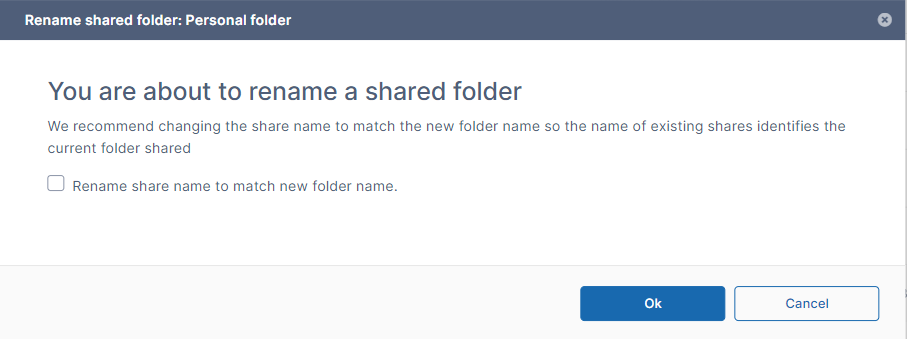
Check the box to rename the share so that it has the same name as the renamed folder.