
Running FCDocConverter on different port from 8080
FCDocConverter service uses port 8080 by default.
In some cases, this port may be in use by a different application in your server. If that is the case, you can change the port the service uses.
Change the default port in the service
To change the default port on the service, you need to change the execute command string.
In Windows, you can do this by changing the Registry Entry at:
HKEY_LOCAL_MACHINE\SYSTEM\ControlSet001\services\fcdocservice
"-Djava.library.path="C:\xampp\LibreOfficePortable\App\LibreOffice64\program" -jar FCDocConverter.jar 9080"It will look like this:
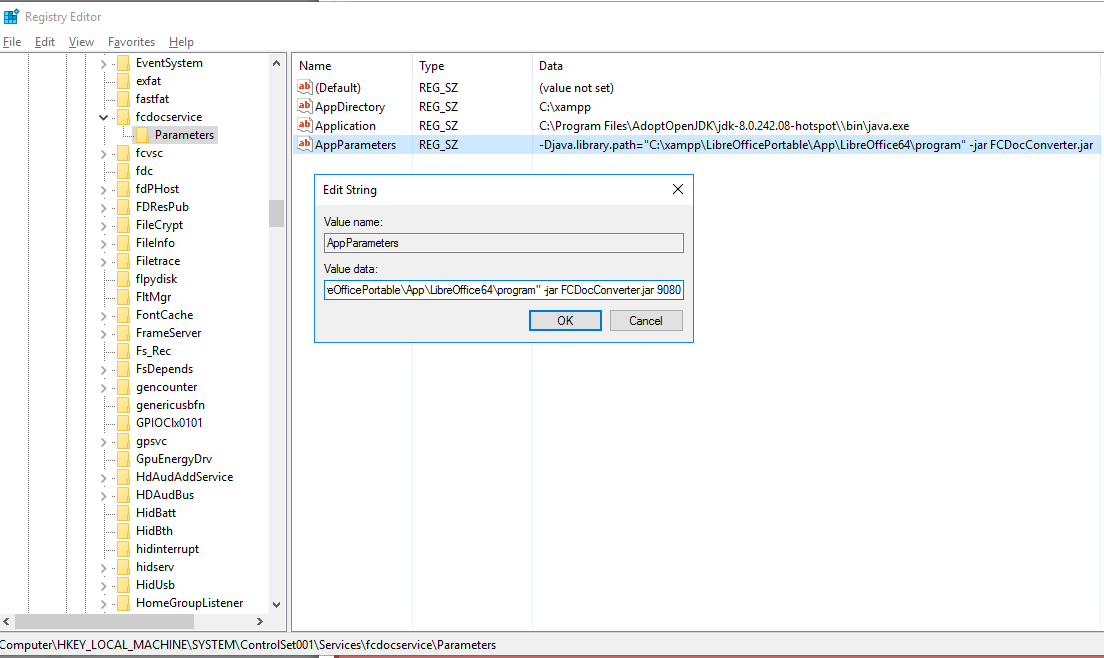
Restart the Windows service from the FileCloud control panel to make this change effective.
Change the port that FileCloud uses for Docconverter
Open the FileCloud config file (cloudconfig.php) typically located at C:\xampp\htdocs\config
Go to the end of the file, and add the following entry (in case the parameter already exists, only change the port number):
define("TONIDOCLOUD_FCDOCCONVERTER_URL", "http://127.0.0.1:9080");Now, all preview requests will go to the new URL/port.
Changing the IP address for Docconverter
In case 127.0.0.1 can't be used, you can change this in the registry and the config file.
The IP address can be added at the end:
java -Djava.library.path="D:\xampp\LibreOfficePortable\App\LibreOffice64\program" -jar FCDocConverter.jar 8080 192.168.1.108You can make this change and restart the service.
Then, you can change the config file to have this URL/IP address used:
define("TONIDOCLOUD_FCDOCCONVERTER_URL", "http://192.168.1.108:9080");Change the default port in the service
To change the default port on the service, you need to change the execute command string.
In Linux:
- Go to /etc/systemd/system/fcdocconverter.service and open fcdocconverter.service for edit.
- Find the line:CODE
ExecStart=/bin/sh -c '/usr/bin/env HOME=/var/www/html java -Djava.library.path="/usr/lib/libreoffice/program/" -jar /opt/app/fcdocconverter/FCDocConverter.jar'
and add the value of the port at the end of the line:CODEExecStart=/bin/sh -c '/usr/bin/env HOME=/var/www/html java -Djava.library.path="/usr/lib/libreoffice/program/" -jar /opt/app/fcdocconverter/FCDocConverter.jar 9080'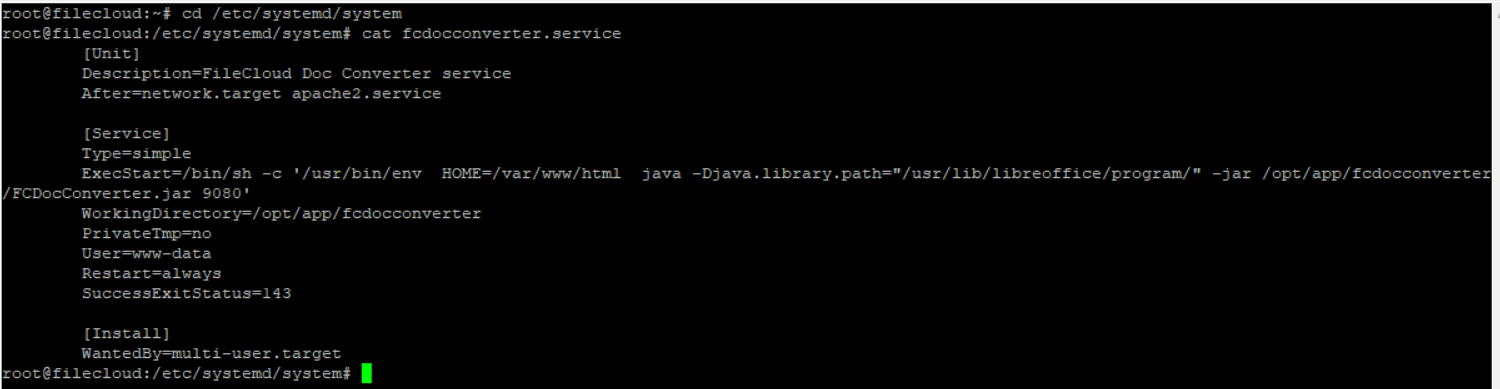
- Save your changes.
- Execute the following four commands, one after the other:CODE
> systemctl stop fcdocconverter.serviceCODE> systemctl daemon-reloadCODE> systemctl start fcdocconverter.serviceCODE> systemctl status fcdocconverter.service Test if the port is listening by executing the following command:
CODE> netstat -nltp | grep -i 9080