
Troubleshoot ServerSync
- This log shows you all of the actions that ServerSync is trying to complete, and if there were problems.
- You can also resolve file conflicts using the Activity log.
Sync Activity Log
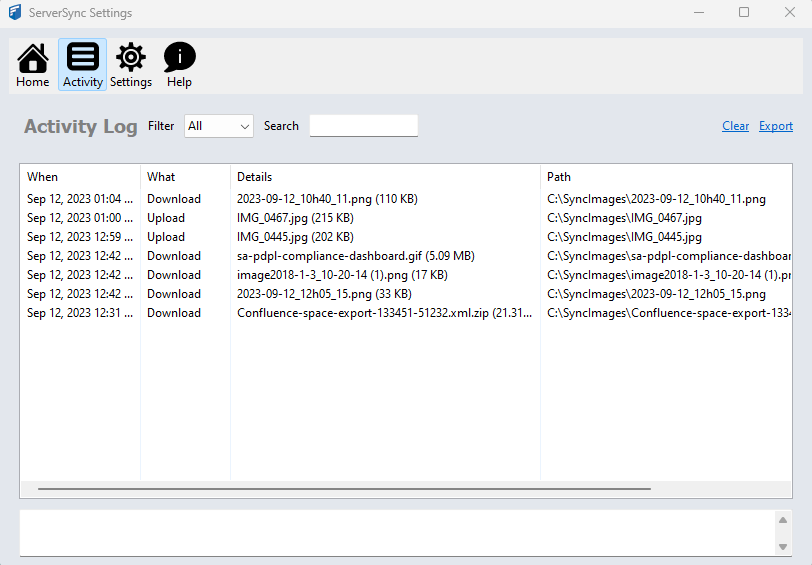
To open the Activity log:
By default, all activities are shown. You can filter activities.
You can also search activities.
Activity logs can be cleared or exported.
|
File Conflict Management
If two people change the same file at the same time, FileCloud Sync app won't try to merge the changes.
- Instead, ServerSync will save the original file as well as a second version.
- The second version has the same name but is appended with "Conflict_," the name of the person or computer responsible, and the date and time the conflict occurred.
- By creating a conflicted file, ServerSync ensures that all changes are preserved and no one will overwrite another person's work.
You can resolve the conflict by deleting the file that you don't want any more.
To view all the conflicting files:
- On the Activity screen, in Filter, use the drop-down to select Errors.
- Double click the entry to open up a dialog that will help resolve the conflict.
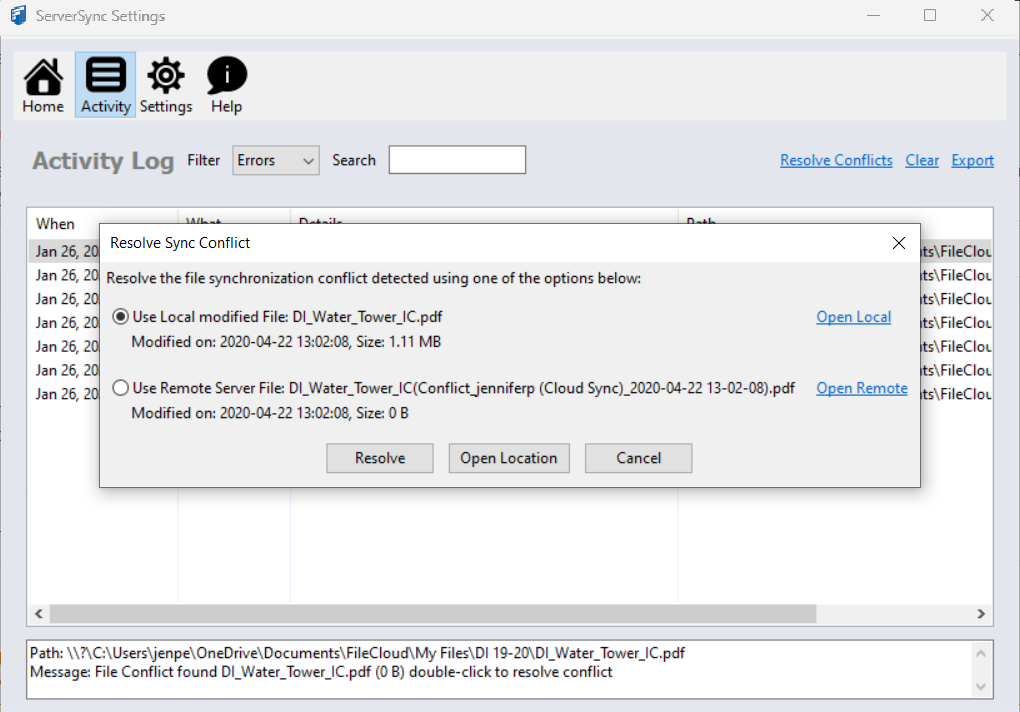
For example, if you want to use the file in the server and discard local changes, select Use Remove Server File: [filename] and click Resolve.
Files That Don't Sync
Files that don't sync
allowedfilelistXML Options for Sync