
Change ServerSync Frequency

- You cannot set the frequency lower than 30 seconds
 After you make this change, you must restart ServerSync for the changes to take effect.
To set a schedule for ServerSync times:
- In the system tray, right-click on the ServerSync icon, and then select Settings.
- On the Settings window, in the Other Settings section, click Edit.
- Select the Advanced tab, and change the number of seconds in Sync Frequency (secs).
Sync Frequency must be 30 seconds or higher.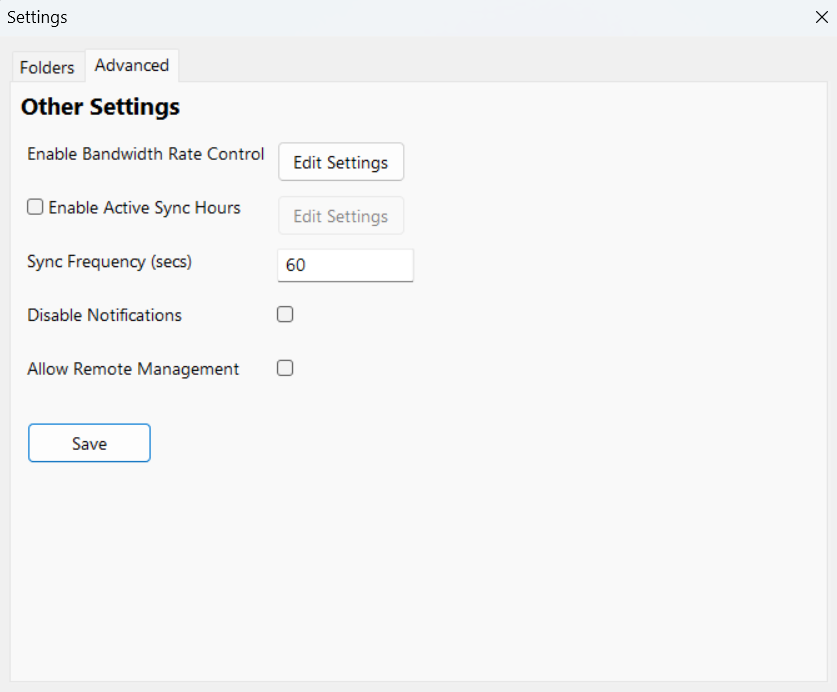
- On the Settings window, click Save.
You are prompted to restart ServerSync: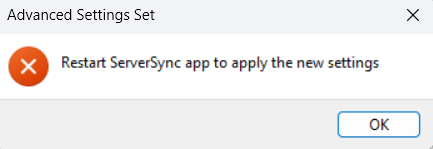
- Click OK, and restart ServerSync.