
ServerSync Settings
The Settings dialog can be accessed in the following ways:
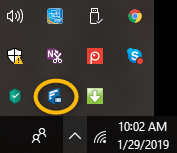
From the System Tray:
- Right-click the ServerSync icon
- Select Settings.
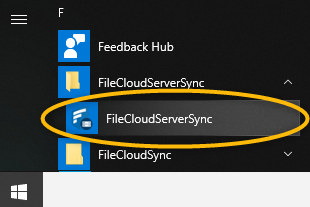
From the Windows Start Menu:
- Click the Windows icon.
- Scroll down to FileCloud.
- Select FileCloud ServerSync
What Do you Want to See?
To see where a setting is located, you can choose to find it by screen or by the task you are trying to complete.
| Screens | Tasks | ||
|---|---|---|---|
| |||
| |||
| |||
| |||


