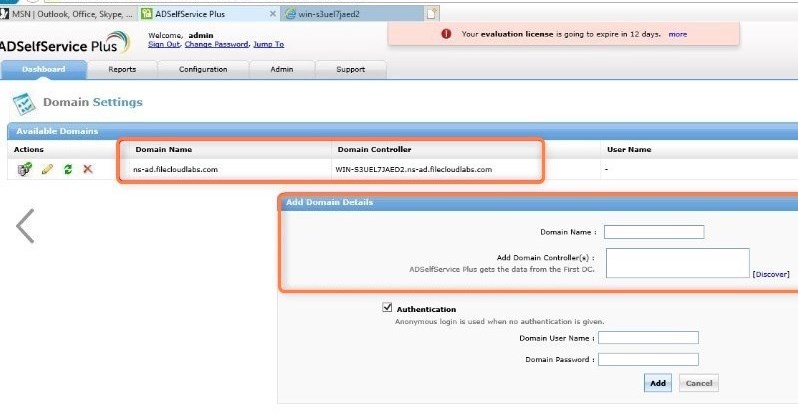
If AD is already installed, Domain Name and Domain Controller are automatically detected and entered for you. If they are not automatically entered, in Add Domain Details, enter them, and click Add.
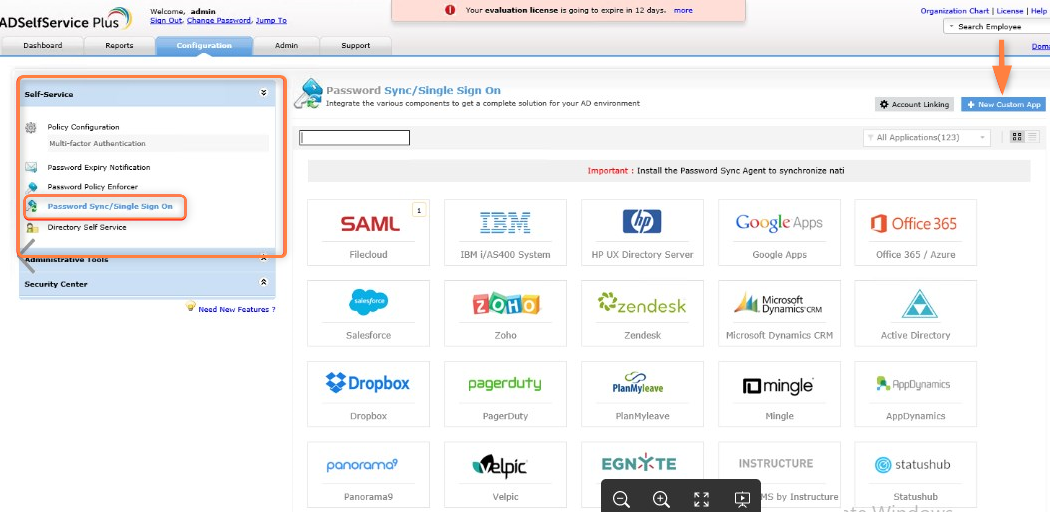
Click the Configuration tab.
In the navigation bar, expand Self-Service and click Password Sync/Single-Sign-On.
Click New Custom App.
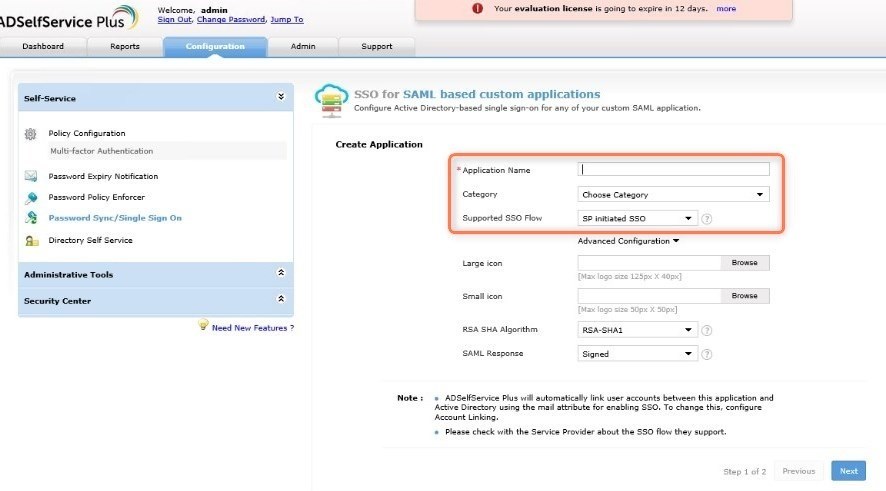
Fill in the following Create Application fields:
In Application Name enter FileCloud.
In Category drop-down list, choose any option.
In the Supported SSO flow drop-down list,choose SP initiated SSO. The Large icon and Small icon fields are optional. You can leave the defaults for the remaining fields.
To go to the SSO for SAML based custom applications/Configure Application page, click Next.
Fill in the following Configure Application fields:
In Domain Name, enter the domain name of your user’s email address in AD. For example, if the email address is fc@test.com, enter test.com as the domain name.
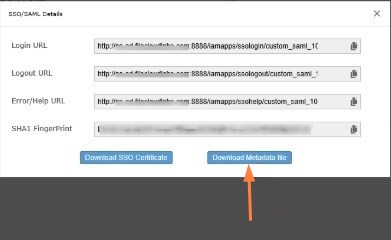
Click Download SSO certificate in the upper-right of the page. The SSO/SAML Details dialog box opens.
Click Download Metadata file, and save the metadata file (metadata.xml).
Step 2: In FileCloud, configure your SSO settings for ADSelfService Plus
In the FileCloud admin portal's left navigation bar, scroll down and clickSettings.Then, on the Settings navigation page, click SSO . TheSSO page opens.
In IDP Metadata paste the entire contents of the metadata.xml file.
By default, ADSelfService Plus passes the mail attribute, and FileCloud creates the user from the username portion of the email address. For example, if the email is sam@fc.com, FileCloud creates an account with sam as the username.
If you want to pass userPrincipalName as the parameter, contact the ADSelfService support team to make necessary changes in the database to pass that parameter. For example, to pass userPrincipalName instead of mail, ADSelfService must add the following entry to their database:
CODE
"userPrincipalName":"uid"
After they have added the entry, set IDP Username Parameter to uid.
JavaScript errors detected
Please note, these errors can depend on your browser setup.
If this problem persists, please contact our support.