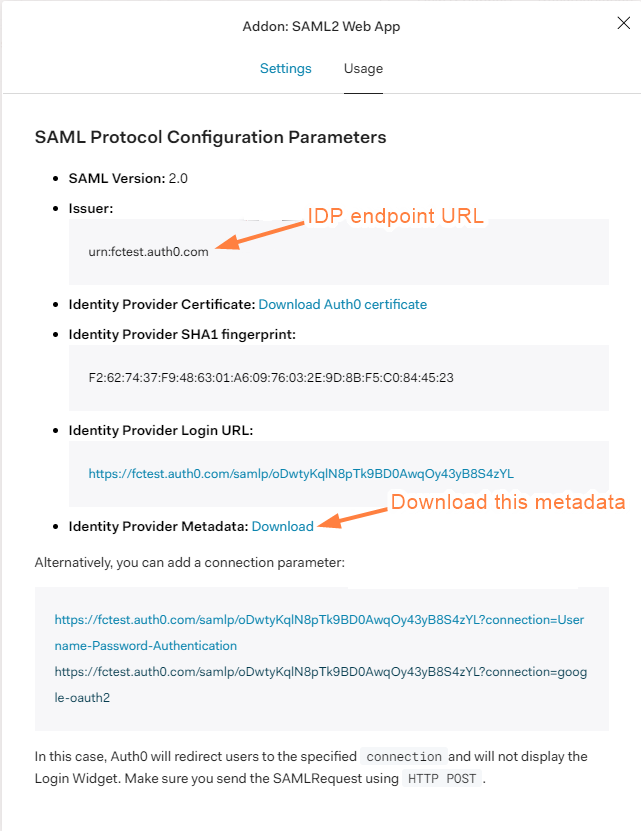
Scroll down and download the metadata from Identity Provider Metadata.
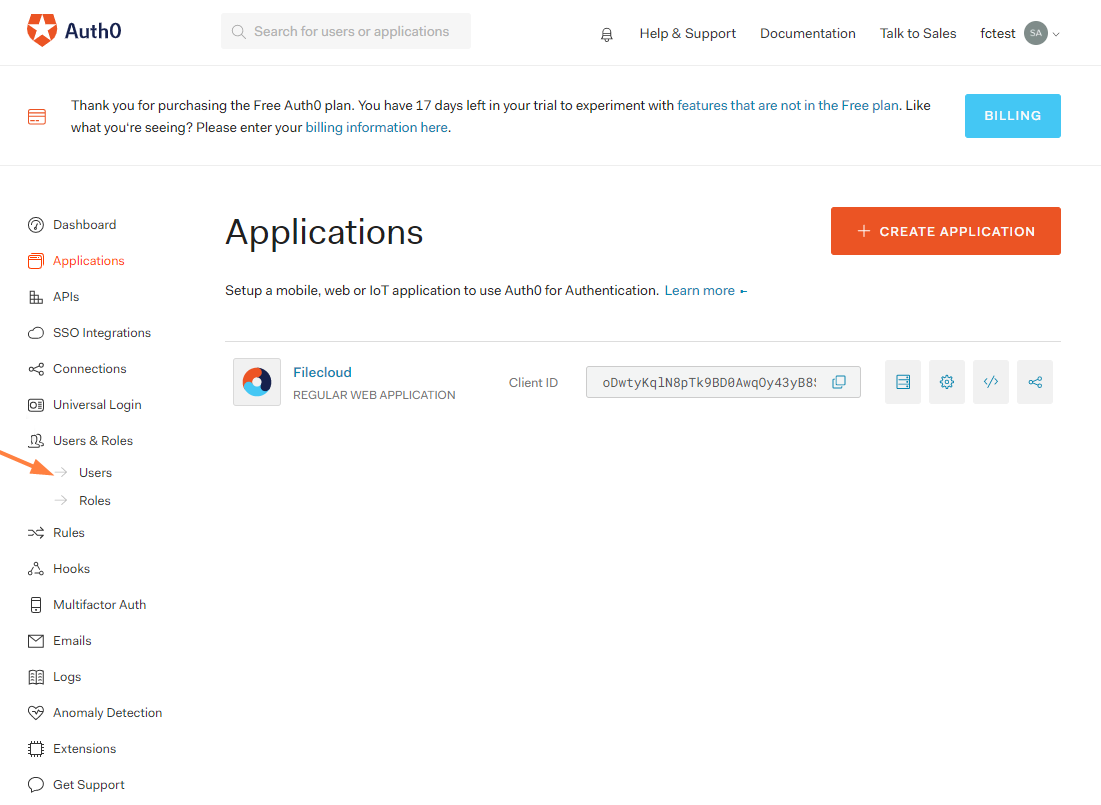
Go to Users in the Auth0 Dashboard and create the user.
Configuration in FileCloud admin portal
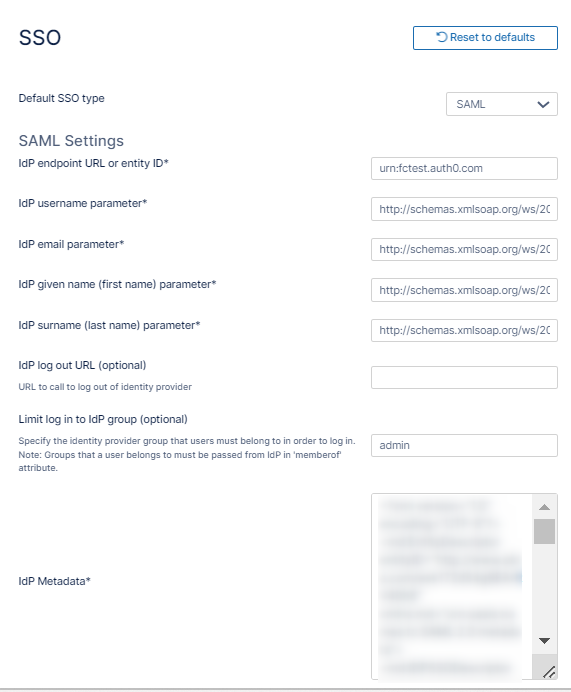
In the FileCloud admin portal's left navigation bar, scroll down and clickSettings.Then, on the Settings navigation page, click SSO . TheSSO page opens.
Enter the below details in the required fields
IdP End Point URL: Paste here the value we note down from Issuer: (step 9, above)
Go to Customization > General > Login and check Show SSO Link and Show Login Options.
In the FileCloud user portal login page, click on the more option and access SSO. This will first redirect you to the Auth0 login page where you can authenticate as the user that you have created in Auth0. If that user doesn't exist in FileCloud, it will be created automatically after successful authentication.
JavaScript errors detected
Please note, these errors can depend on your browser setup.
If this problem persists, please contact our support.



.png?inst-v=905ec3ff-f772-42a7-ab10-adb3d35ec823)
.png?inst-v=905ec3ff-f772-42a7-ab10-adb3d35ec823)