As an admin, you can use the FileCloud Sync app to set up a persona backup for all users of your FileCloud System. A persona backup saves individual settings and preferences for users across their FileCloud devices, making it easy for you to restore them.
To set up persona backup for users, open the policy used by them in the admin portal, and add device configuration code for Sync backup thatincludes the local paths that contain user specific configurations.
1) Enable Endpoint Backup for FileCloud Sync from the Admin Portal
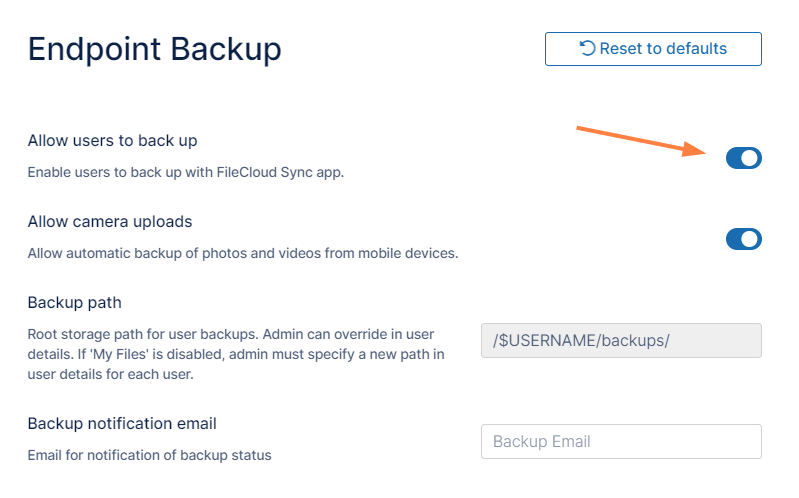
In the FileCloud admin portal's left navigation bar, scroll down and clickSettings.Then, on theSettingsnavigation page, clickEndpoint Backup. TheEndpoint Backupsettings page opens.
Enable the Allow Users To Backupoption, and click Save.
2) Install FileCloud Sync and enable Remote Management
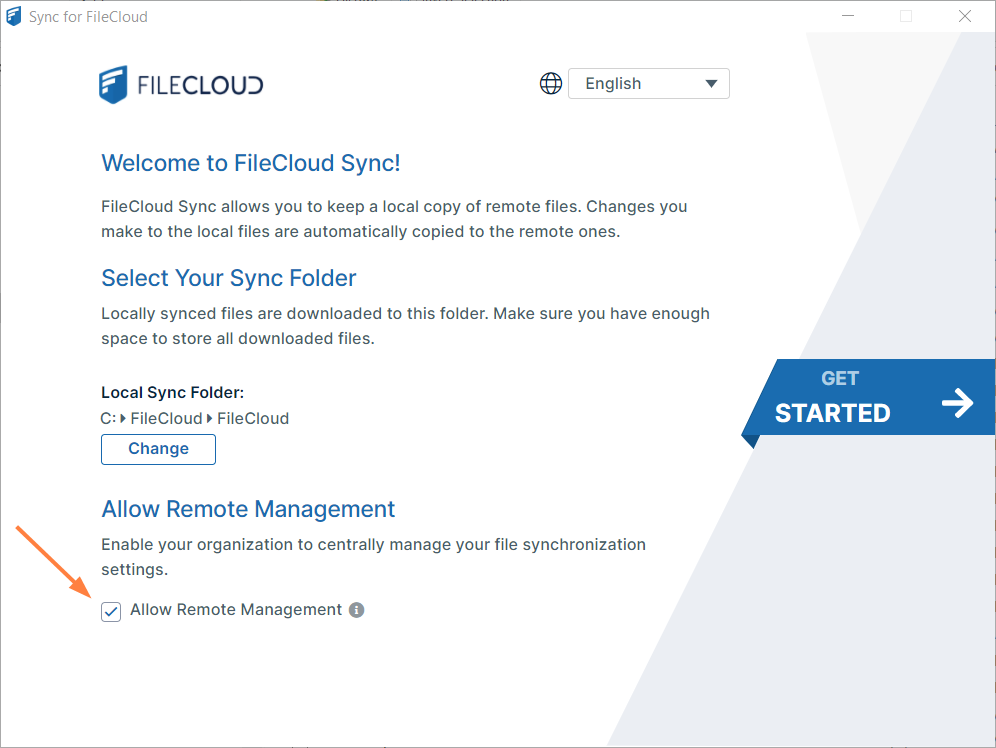
For backup to take place using the device configuration set up in the policy, Remote Management must be enabled in the FileCloud Sync App. This can be done by either:
The user manually enabling the option in the FileCloud Sync App
On a Mass Deployment, an admin enabling remote management by setting the allowcentralmgmt parameter to 1. This requires registry entries to be created before FileCloud Sync is initialized on the users' local machines. Note: If FileCloud Sync is initialized prior to the creation of registry keys in the users' local machines, the configuration to enable remote management will not take effect.
3) Set a default device configuration for Sync in the user's policy
Note: You must identify the local paths from the user’s computer to include in the Sync Backup before creating the device configuration XML. Refer to the Device Configuration XML documentation for Sync.
Log in to the admin portal.
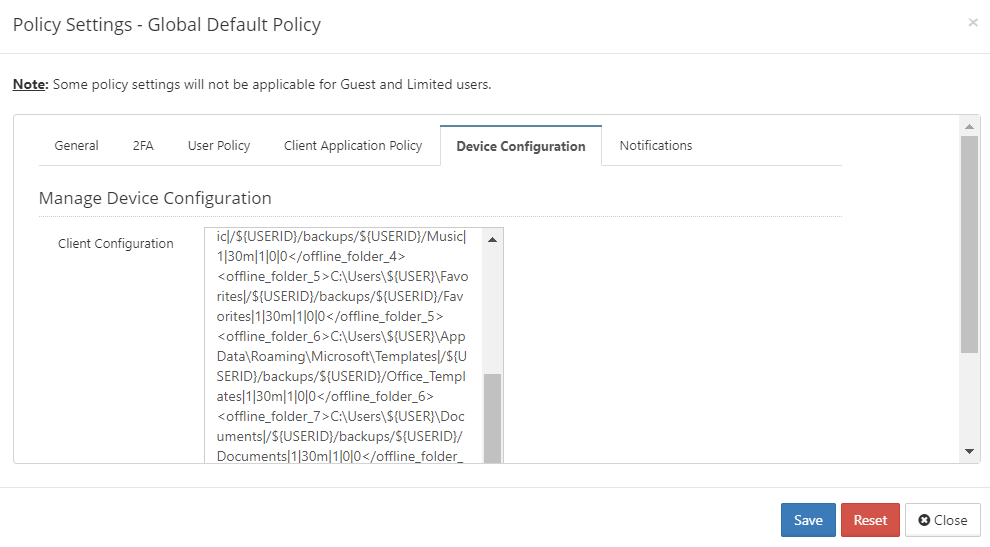
Navigate to Settings > Policies and edit the users' policy.
Go to the Device Configuration tab and enter the configuration in XML format. Below is a sample script to use. The first parameter of the XML, <offline_folder_1>, is a local path in the user’s computer. The lines after it are the other local directories that must be included in the Sync Backup.