Reset the password for user accounts with Authentication Type set to Default. For user accounts with an Authentication Type set to AD or LDAP, the password management must be done in AD or LDAP admin portal.
If the user does not have an AD account, this option either sends a forgot email message with the password newly generated by Reset Password or an account welcome message with an automatically generated new password.
If the user has an AD account, there is no option to send a forgot email message. Clicking OK sends the user a welcome email without a new password.
The option to send an account welcome message for accounts other than AD users is available beginning in FileCloud 20.1 The option to send an account welcome message to AD users is available beginning in FileCloud 20.3
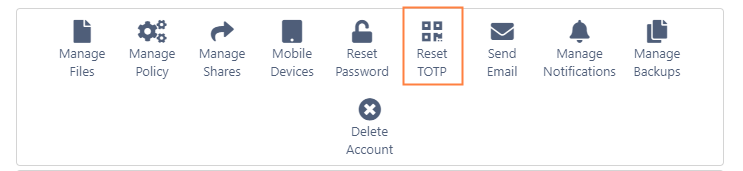
A Reset TOTP button is included for admin users if a setting is included to configure their 2FA to use the admin configuration if the admin 2FA delivery method is TOTP. When the setting is included, the admin users' TOTP authorization cannot be reset by the given methods for users and the main admin, and must be reset using this button. For more information about the setting, see Two-Factor Authentication for Admin Portal.
JavaScript errors detected
Please note, these errors can depend on your browser setup.
If this problem persists, please contact our support.